The UnitusTI team is always working to enhance your UnitusTI experience. Check out the latest updates, below!
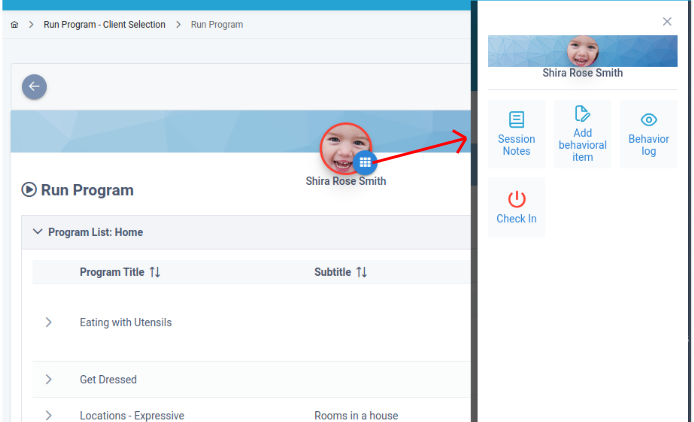
🆕Redesigned Client Actions Menu in Run Program Screen
You can now click on the icon beside the Client’s thumbnail, which will smoothly open a slide panel. This panel offers a range of commonly used options, including Session Notes, Add Behavioral Item, Behavior Log, and convenient Check-In/Check-Out buttons.
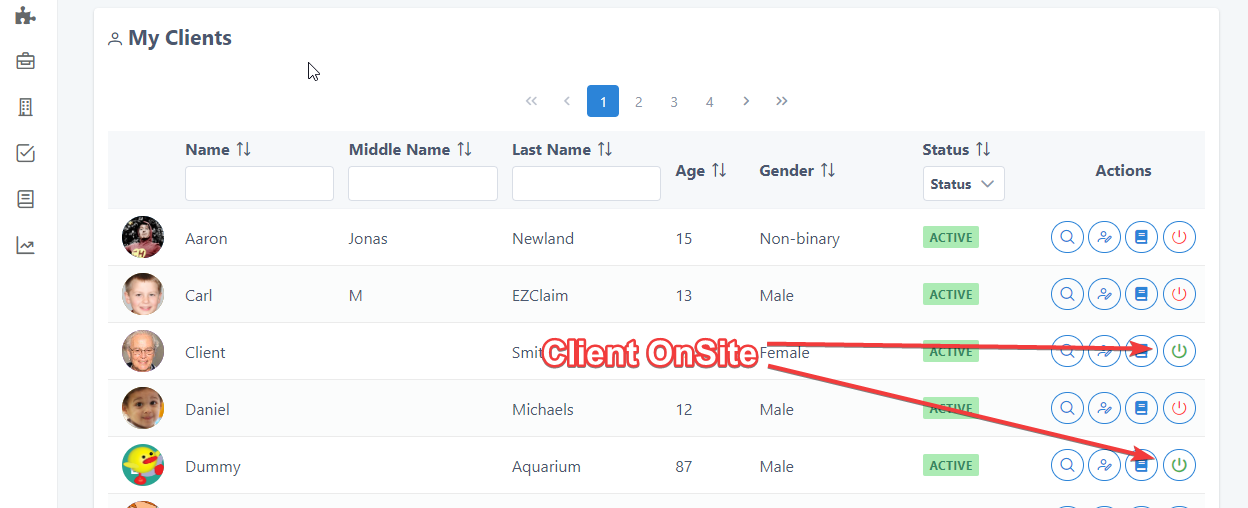
🆕CheckIn/CheckOut feature: New Icons and Colors
New visual clues have been added to help you quickly know which clients are checked in or checked out. In the “My Clients” screen, clients checked in already will display a green icon. The icon will be red for clients that have not been checked in yet.
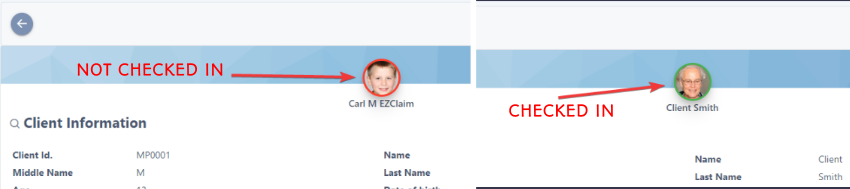
Wherever the client’s picture is visible, you will see an additional color cue to let you know quickly if they are checked in or out. A green highlight around the client’s picture indicates they have been checked in and a red highlight indicates they are not (see screenshot below).
In a similar way, in all the screens where a client’s avatar appears, it will be surrounded by a colored border indicating the checked In status:
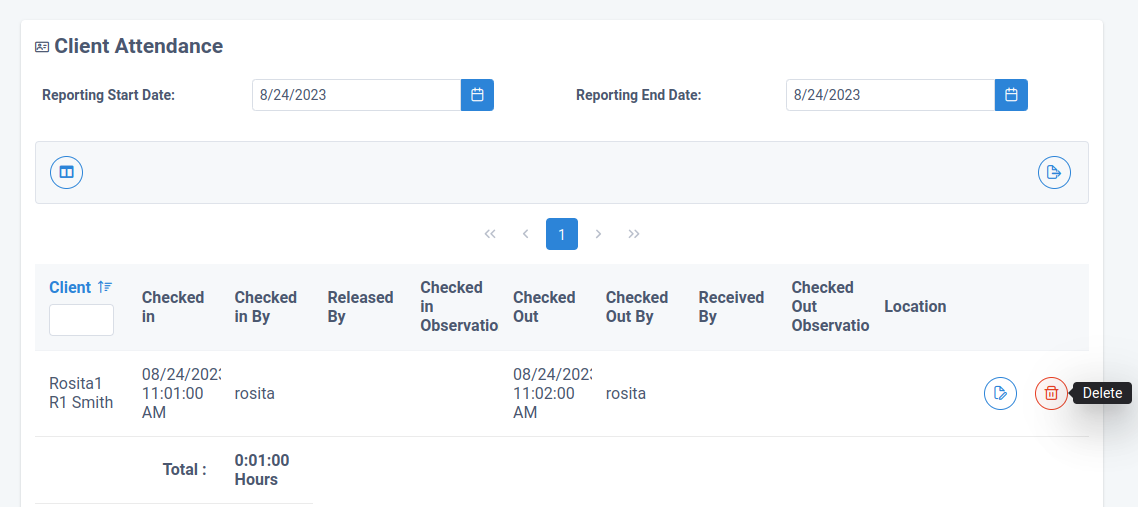
🆕Delete Button Added to the Client Attendance Report
Check In/Out records can now be deleted in the Client Attendance Screen . Click the trash can icon next to the entry you wish to remove and, poof..gone!
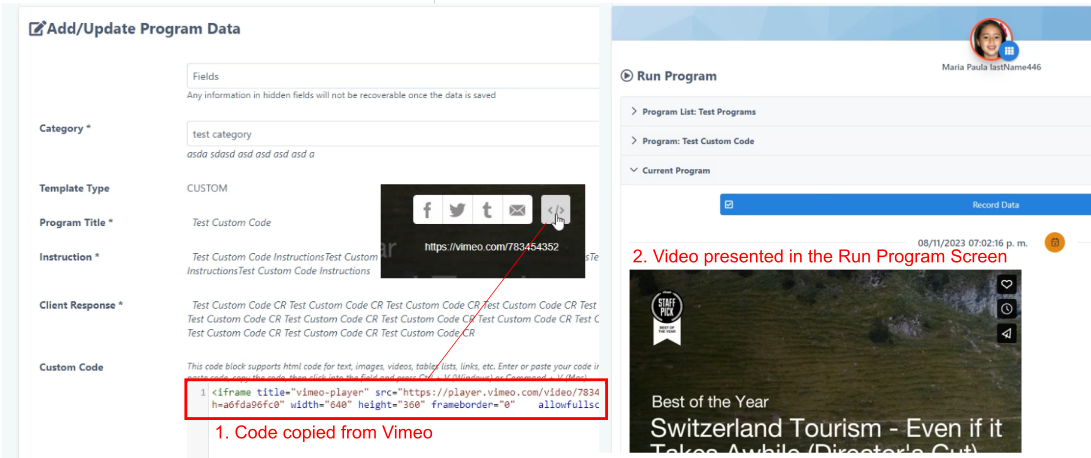
🆕Custom content in Program Templates
Do you need to display some additional content while running a program? The Program Template now offers a new “Custom Code” field, that allows you to paste HTML code, for example, to embed video from external platforms like Vimeo or Youtube.