2026-10
.
Forms Upgrade: Send Client Submissions Directly via Email
The Forms Designer has received a major upgrade! It is now more intuitive, easier to locate (find it under Center > Forms in the main menu), and includes the brand-new ability to send completed form submissions directly to client emails.
.
Daily Report Update
A dedicated Duration column has been added to the Daily Report in addition to the Start and End times for easier tracking.
.
Session Notes: Signature Date & Time Stamps
Session note signatures now display an automated timestamp showing the exact date and time a note was signed.
.
Improved calendar contrast
Calendar event text now dynamically adjusts between dark and light mode based on your background service code color, ensuring optimal contrast and readability.
.
Simple Invoicing: Support for Channels
Enjoy the same internal communication tool for auditing your invoices and keep on track with your team.
.
Simple Invoicing: UI Redesign
Better user experience with the new UI
2026-09
.
Simple Invoicing: Stripe integration
Easily include direct Stripe payment links on your invoices for faster payment processing. (Note: This feature is currently available for US customers only.)
Simple Invoicing: Create Invoices from Session Notes
Simplify your billing workflow by converting session notes into invoices. Line items are automatically populated using the service codes and units logged in each completed note.
.
Restrict Service Code Units usage per day, week or month
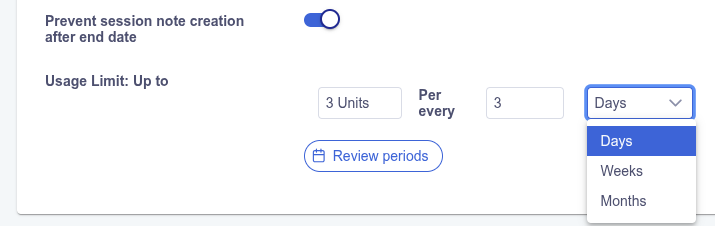
Now you can configure the usage limit per days, weeks or months.
2026-08
Service Code Units Availability Indicator
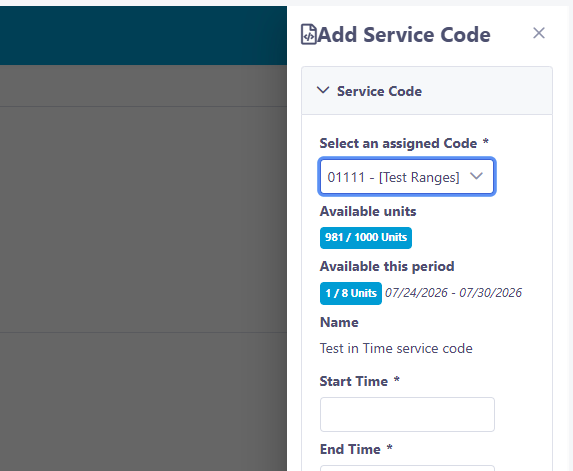
Available Service Code Units are displayed when assigning units to a Session Note.
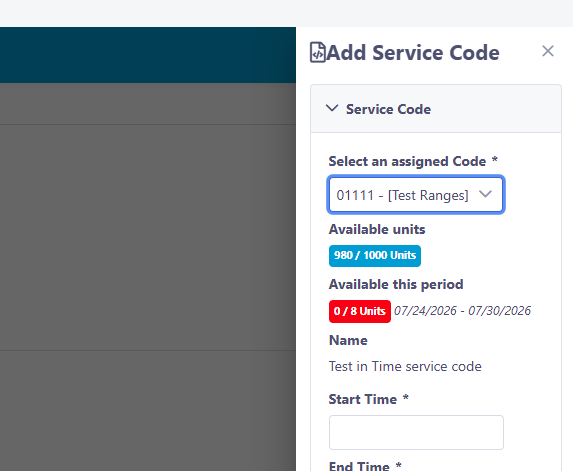
When assigning a service code in a session note, the system will now display an indicator showing the total available units and, if configured, the available units for the current period.
If global units are available but none remain for the current period, the indicator will turn red.
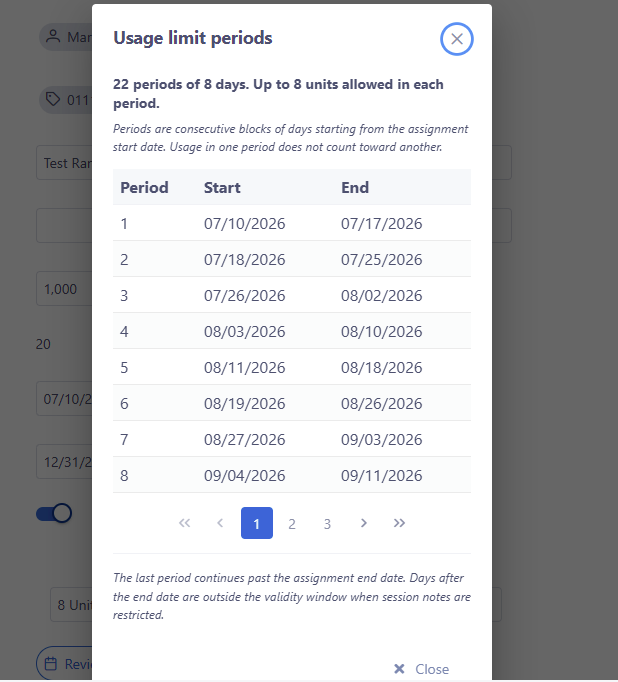
Additionally, clicking the Review Periods button at the bottom of the Edit Assignation Unit screen will open a window detailing the list of periods based on your configuration.
Tracking Changes in Units Assignations
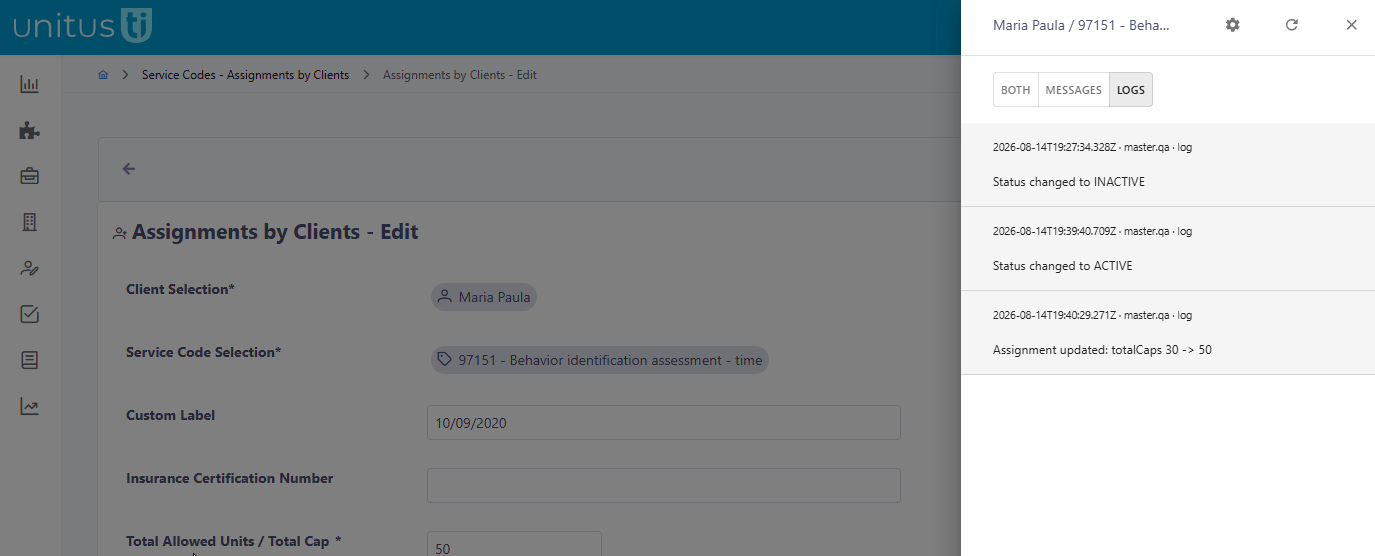
To facilitate audit operations, a new log module has been added to the Unit Assignation screen.
You will now find a channel button on the Edit Assignation screen. Clicking this button opens a side panel displaying the change log. Please note that only changes made after the release of this feature will be visible.
2026-07
Multiple service codes in Calendar Events
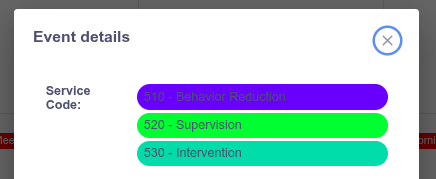
You can now add multiple Service Codes to your Calendar Events! The first one selected will serve as the primary code and will be highlighted on the main Calendar screen.
Optional verification of the Third Party Signature
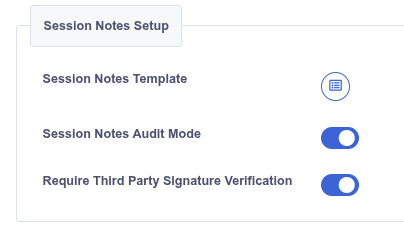
The Third-Party Signature verification process—which involves sending an email with a verification link—is now optional! You can disable this feature in your center's account configuration screen.
New columns in the Session Notes Dashboard
Two new optional columns have been added to the main dashboard table:
"Session Time"
and
"Created Date"
.
Please note that
"Created Date"
is the system's internal timestamp, recording when the session note was first created in the platform. This may differ from the
Session Date
and
Session Time
, which are user-editable fields.

The creation time is included in the excel report.
2026-06
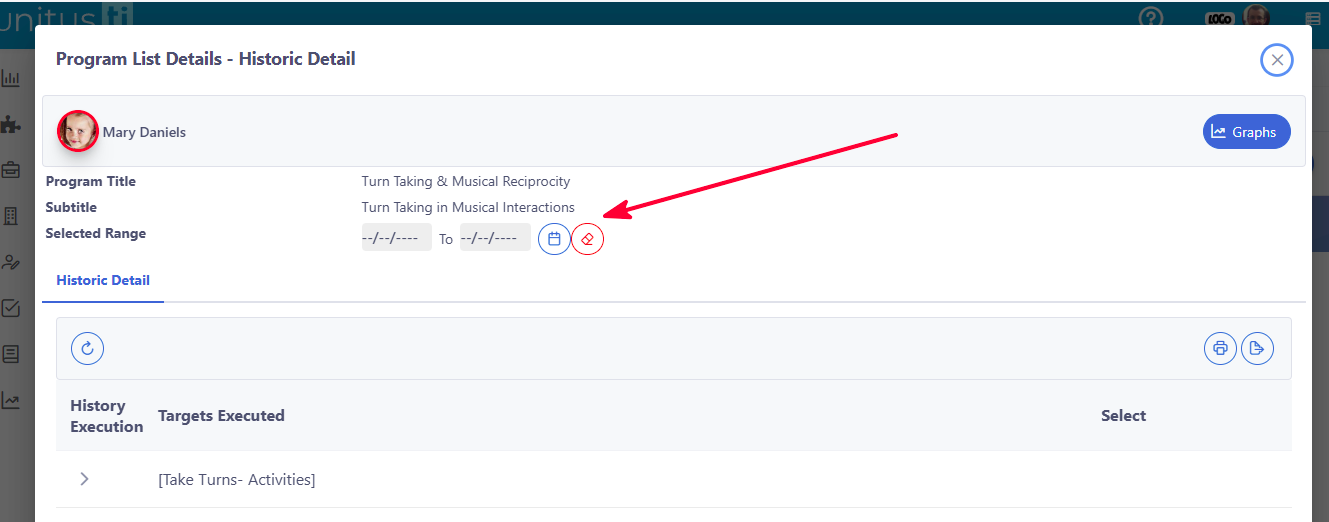
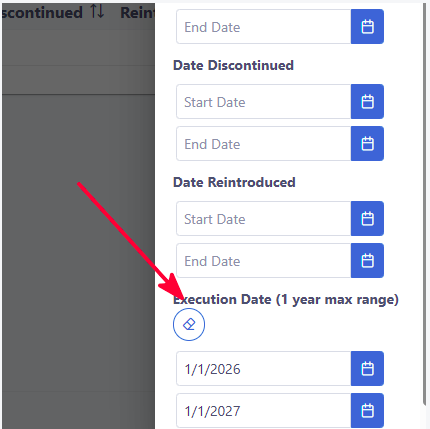
New Date filter for Graphs
T he Historic Detail Dialog now includes a new filter for both detail records and graphs. This filter is linked to the execution date selector in the Program Report filter options.
Deletion of orphan calendar events
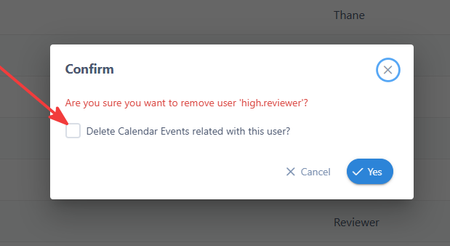
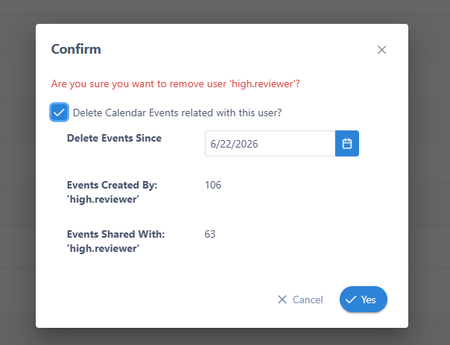
When an user leaves a center and the administrator removes his account, future scheduled events may persist in the calendar.
In this scenario, UnitusTI will present to the administrator a confirmation dialog, with the number of events associated to the removed user and the option to delete them from a given date.
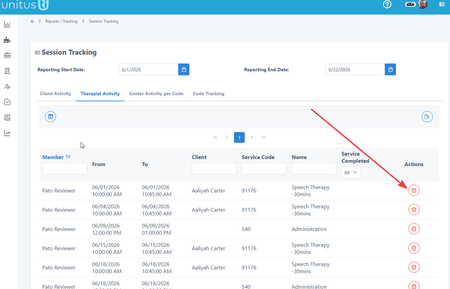
Also a new Delete button was added to the Session Tracking Report, allowing administrators to delete unwanted events.
Better error reporting for Unit Usage limitations
When consuming units associated with service codes, users typically got frustrated when either the rules associated to client assigned units or the user assigned units prevented them from completing the task, because the system presents a generic error message saying only that the allocation of units failed due to client or user constraints.
Now, more detailed error messages are being generated, to assist the user to identify the exact cause of the blockage.
2026-05
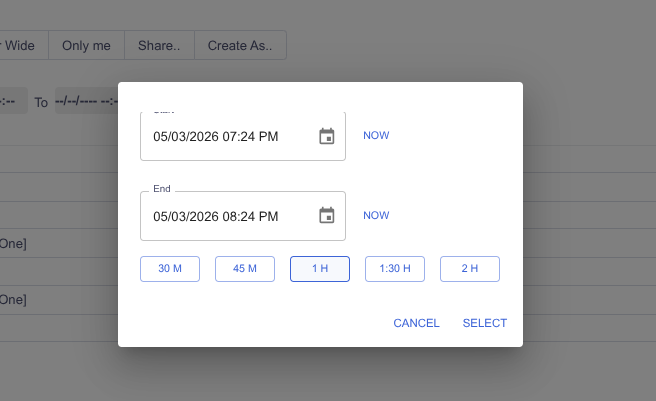
Create events by defining duration
Now you can create an event by setting the start time and simply clicking on your desired duration.
2026-04
Per-client customization of program templates
In UnitusTI, you can save significant time by reusing the same Program Template across multiple clients. Traditionally, applying a change to a master template would cause all linked programs to reflect that change across every client.
However, we understand that you often need to use a template as a base for efficiency while still requiring the flexibility to customize it for a specific client without affecting others.
How it Works
First you select a program template from the catalog that fits your client’s needs. The interface will initially display the basic information—such as the title, subtitle, and instructions—sourced directly from the original master template.
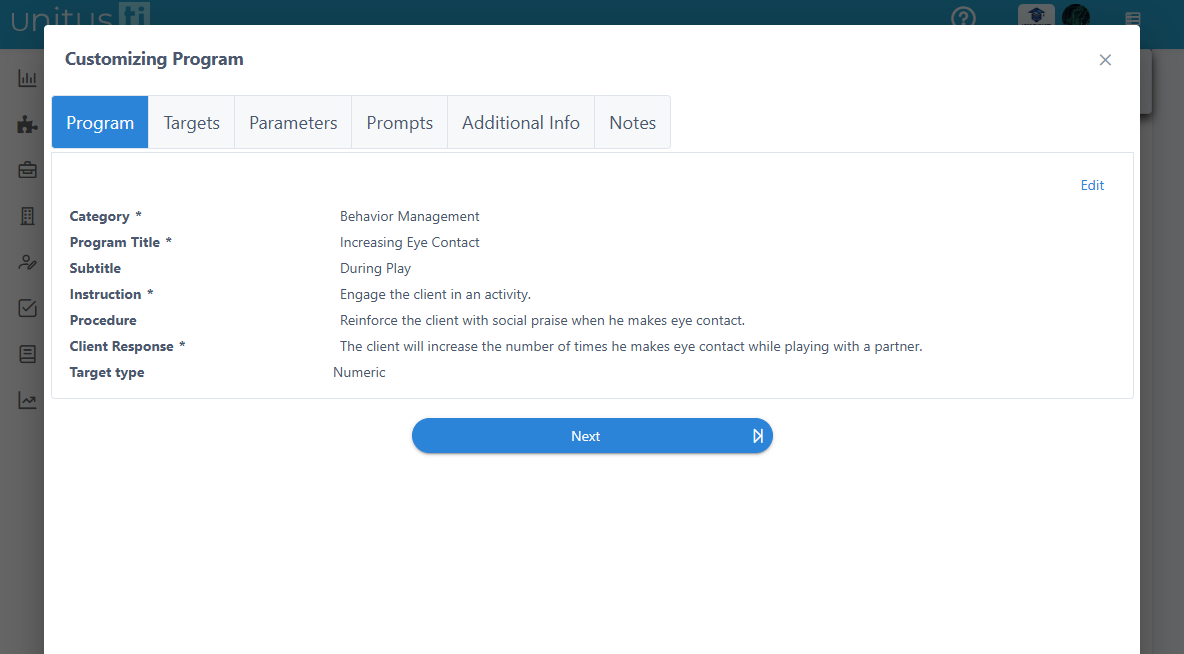
To tailor this information, selecting the "Edit" option allows you to modify each field individually.
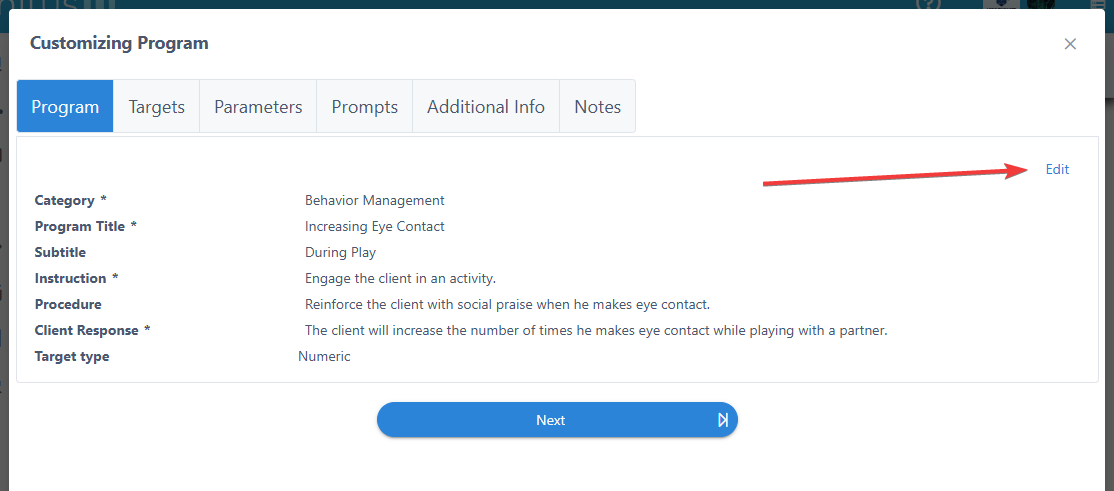
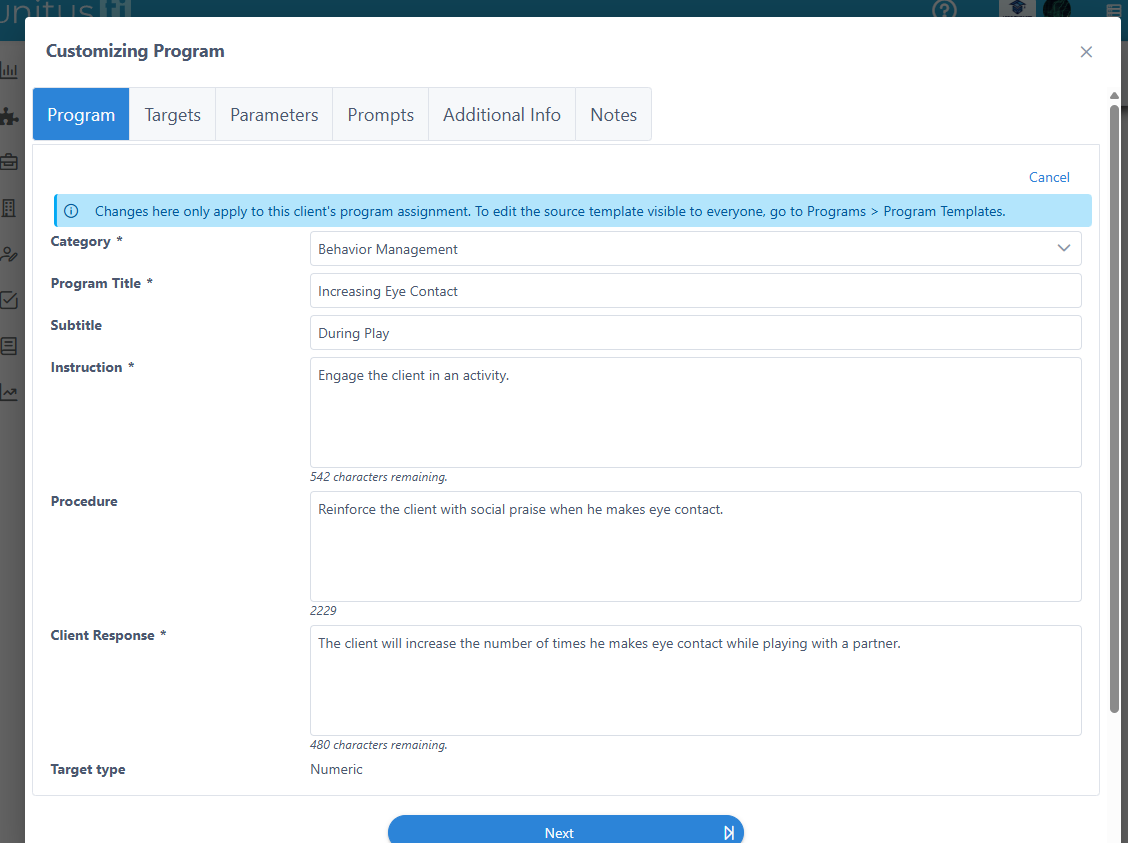
Please note that these modifications apply only to that specific client's assignment; they will not affect any other clients using the same program template.
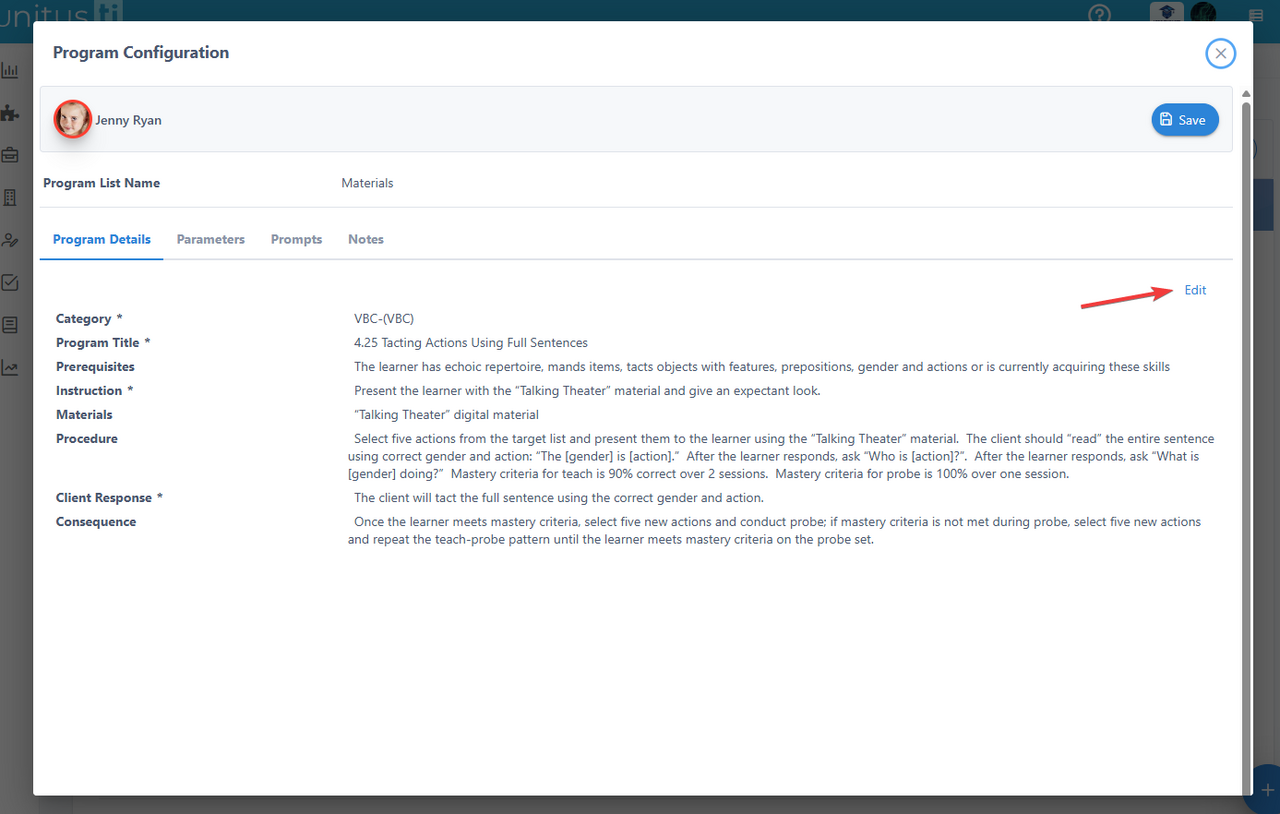
To update data for programs that have already been assigned , a similar option is available via the "Edit Configuration" button within the Manage Programs area.
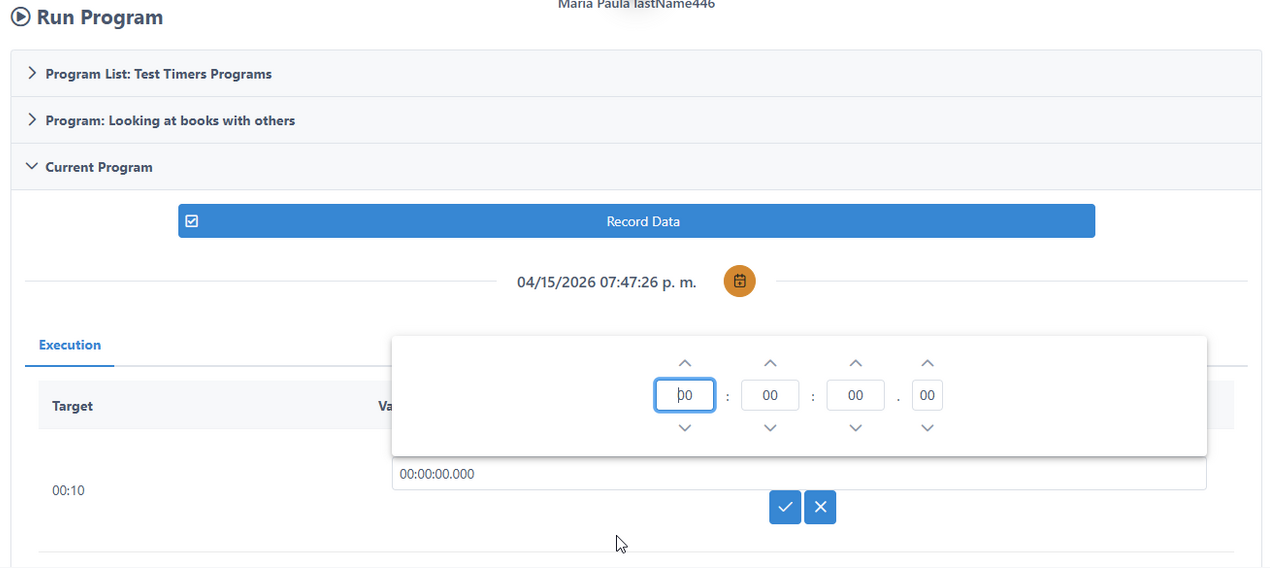
Set a timer to 00:00 with Duration DAT
When you are executing a program with Duration DAT, a new option is now available to set the timer value to 00:00. Selecting this will immediately store "00:00" as the recorded value for that specific execution.
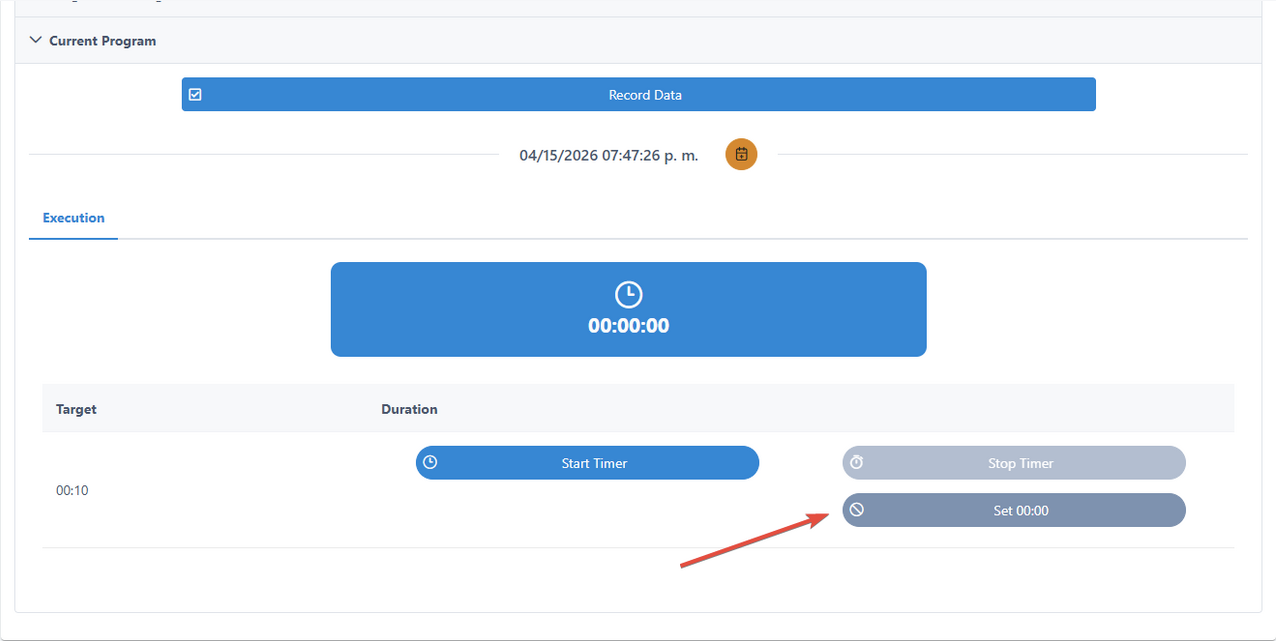
At any time, you can select the "Start Timer" or "Restart" options to change the duration value.
However, please note that this functionality is now only available when the DAT (Data Acquisition Tool) is configured not to capture data manually. If the manual capture option is selected within the DAT setup, these timer controls will be disabled.
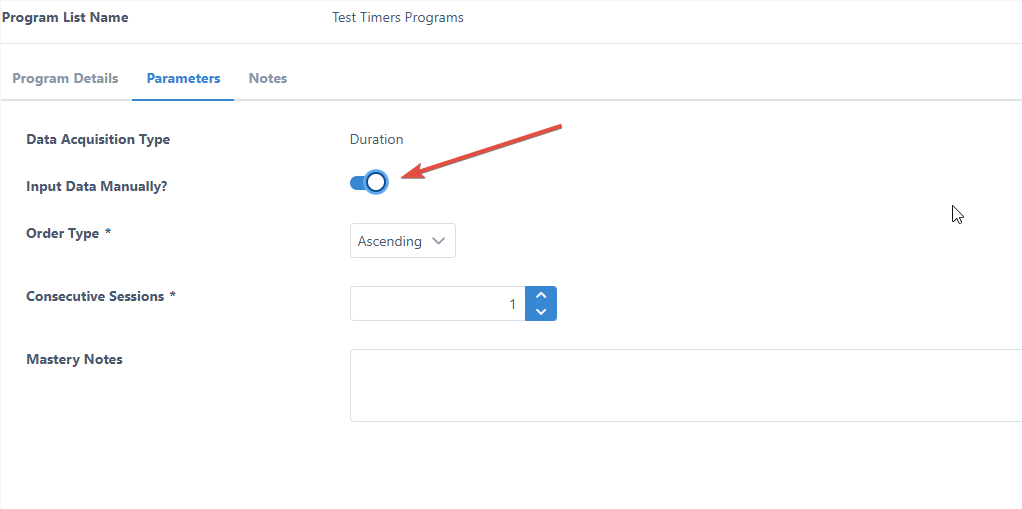
Then, you will be able to manually define the time as 00:00.
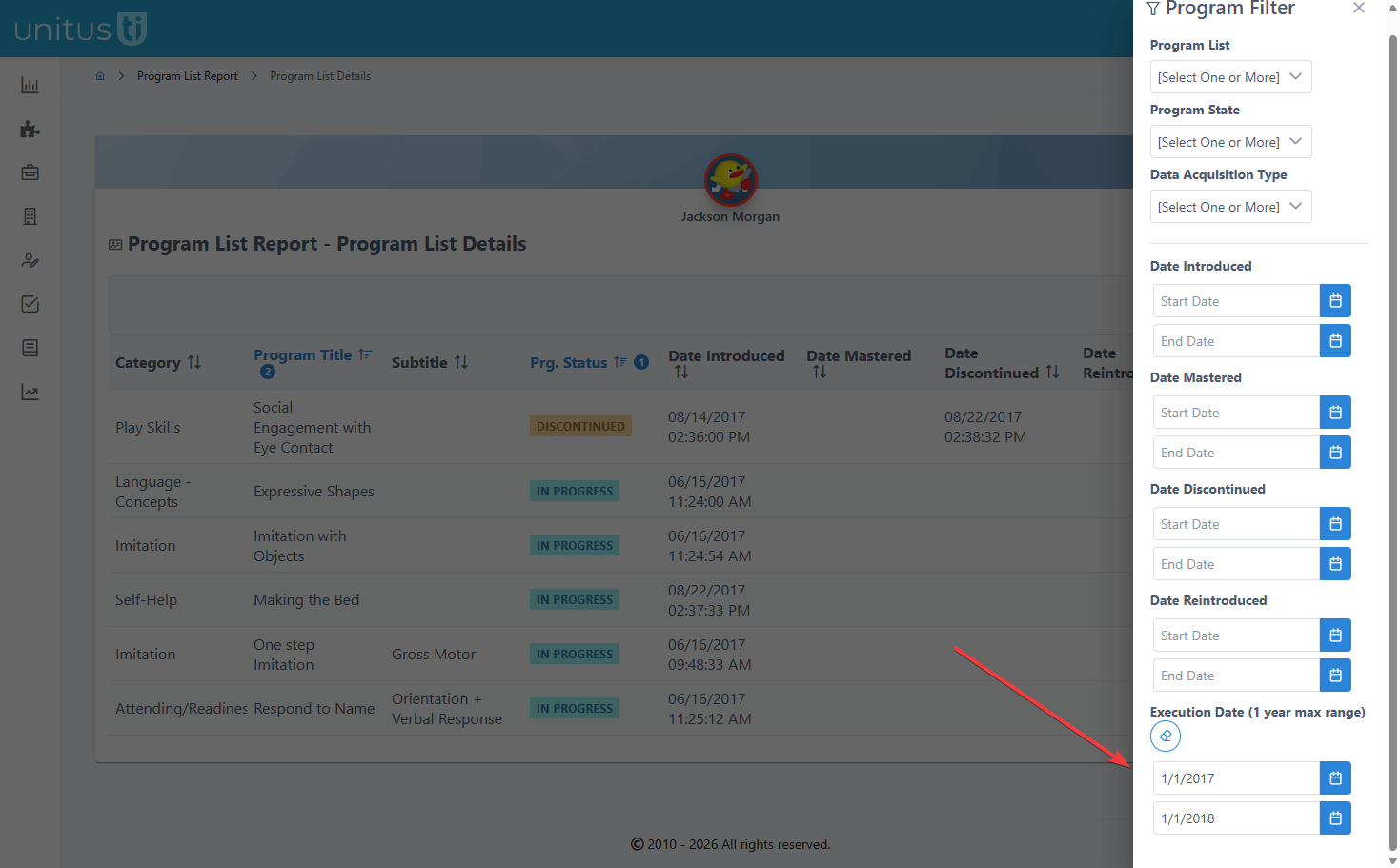
Automated Comment Filtering by Execution Date
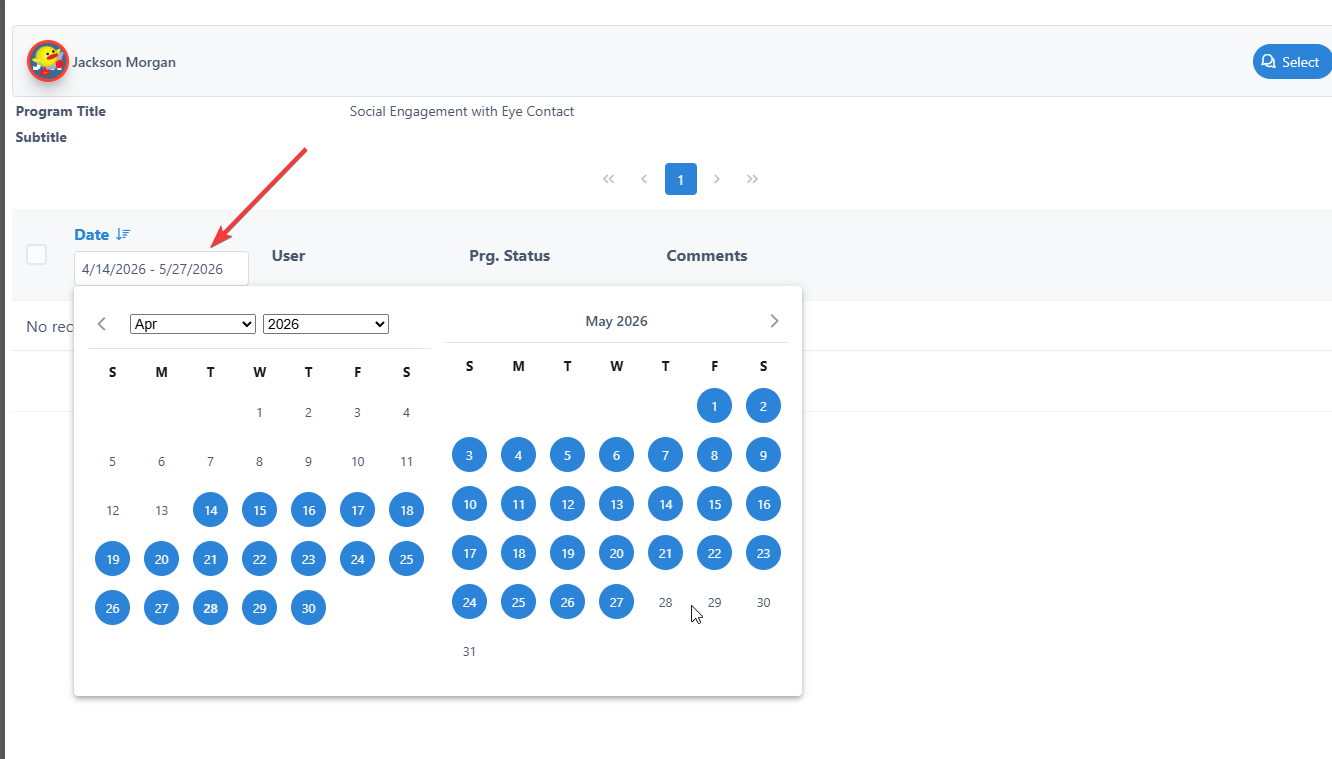
From the Program List report, users can now select a specific range of execution dates.
Within the Information Filter, a new option is available to select listed data. When enabled, the system will display comments for each program and automatically include those with dates falling within the specified execution range.
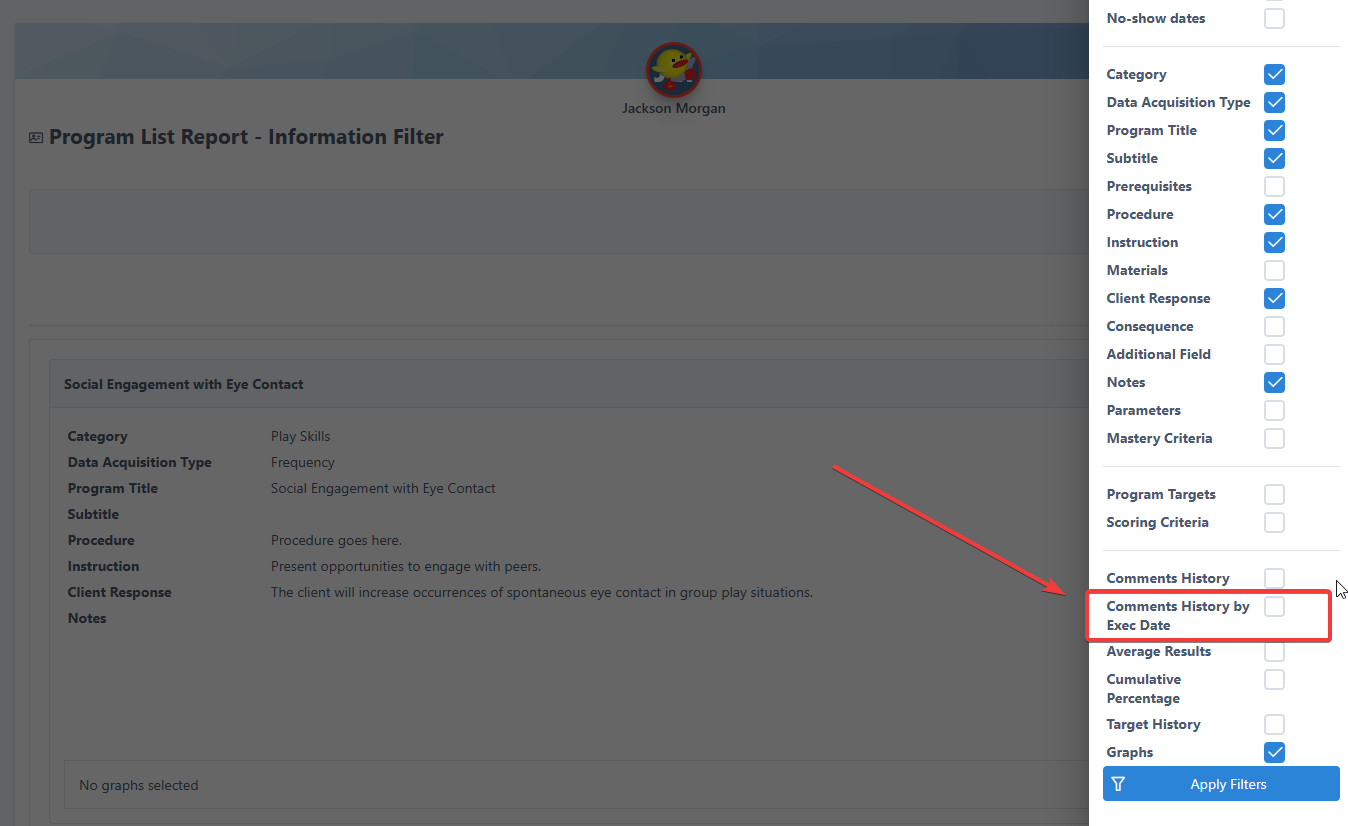
In addition to existing options, users can now manually select comments from the provided list. We have also included a date range selector to further filter these comments by date.