Feature Updates & Fixes
What's new in recent UnitusTI updates
December 2024
The Session Notes Dashboard has been updated with the following enhancements:
- Improved load times
- Added a year selector for enhanced filtering
- Exportable reports now include full Spanish translations
November 2024
|
|
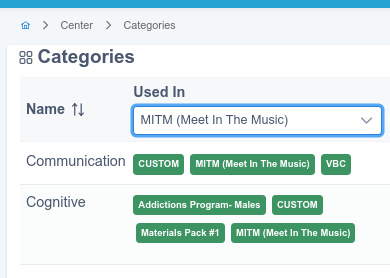
New Feature: "Used In" Filter for Categories
Quickly see where your categories are being used! The new "Used In" filter provides clear insights by showing which packages include each category. Find it under Program > Categories .
|
- Preview of supplemental information in programs has been enhanced to allow PDF and image files to be displayed in a maximized window for improved readability.
October 2024
|
|
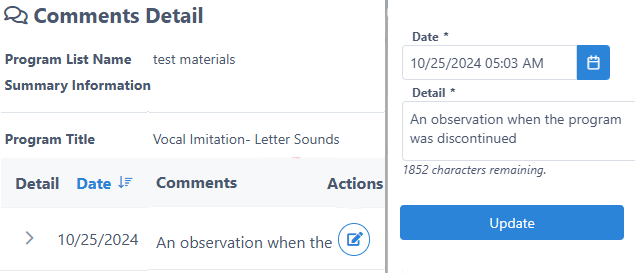
Edit Comment Details
The Comment Details screen now offers a new action that enables users to edit dates and details based on their assigned roles.
|
|
|
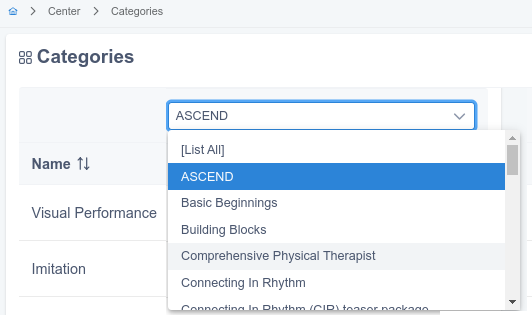
Categories: Filter per package
Navigate the category list with ease using the new package-based filter. (Center > Categories)
|
- Finalized internationalization support for the Program Execution Selector within the Session Notes Screen. Currently, it is entirely translated into Spanish.
- Incorporated comprehensive descriptions of date ranges into the Program Execution Selector.
Bug Fixes
- Resolved an error that occurred when a user attempted to modify the nomenclature or descriptor associated with a service code.
- Resolved an issue pertaining to the presentation of assessments featuring complex textual formatting .
- Fixed a bug that sometimes occurred when the user wanted to delete a session note Resolved an issue that would occasionally arise during the user's attempt to eliminate a session note.
September 2024
- Manage Programs now includes a new feature that allows you to clone program lists from other clients.
- A new tool has been added to Manage Programs, enabling you to merge the content of one program list into another.
- T he Historic Detail option is now available in the following locations:
- Edit Program Configuration
- Edit Targets List
- Target Maintenance setup
- Program Maintenance setup
Bug Fixes
- Corrected a formatting problem with fields that include advanced formatting, ensuring they are displayed correctly in the preview.
- Resolved a message error that occurred when a user created a support ticket from the UnitusTI platform.
- Fixed an issue that caused an error when users attempted to export graphs to their client profiles using the export tool.
- Addressed a selection issue related to team members in the Daily program report, ensuring accurate selection functionality.
August 2024
- The state of client’s list like filters, sorts or pages remains across pages, now available for
- My Clients
- Manage Assessment
- Run Assessment
- Manage Programs
- Run Program
- Program List Report
- Custom fields can be added for the creation of calendar events, this can be requested with our support team. All custom fields will be available to be used in the Session Tracking report.
- Export to raw excel is now available as an option for the Session Tracking report. This option exports the information without grouping the data.
Bug Fixes
- Fixed a bug that prevents categories from being synchronized from Publishing Home to UnitusTI
- Fixed a bug where users with the “Execute Only” role could not add comments
July 2024
|
|
Additional Fields For Session Notes
Can’t find the field you need in a new Session Note? Now, you can create as many additional fields as required.
|
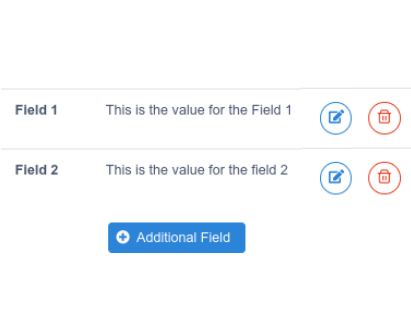
- Custom Forms Toolset: Added support for rich-formatted text blocks. Support for ordered and unordered lists, underscore, italic and bold text.
- Service Complete selection in a calendar event can be reset by the user
Bug Fixes
- Fixed formatting issue with multiple Open Text field types in assessments when the user tries to preview.
- Fixed an error when the user try to assign a user to multiple zones
June 2024
- Custom Form Toolset: Ability to create forms in the User, Client and Center areas.
- Added "Select All", "Unselect All" options to the Program Reference Field in Session Notes.
- Fixed label for days in the Assessment Dashboard.
- Categories and template types filters are now linked between both, in program templates list and selection of programs for a program list.
May 2024
|
|
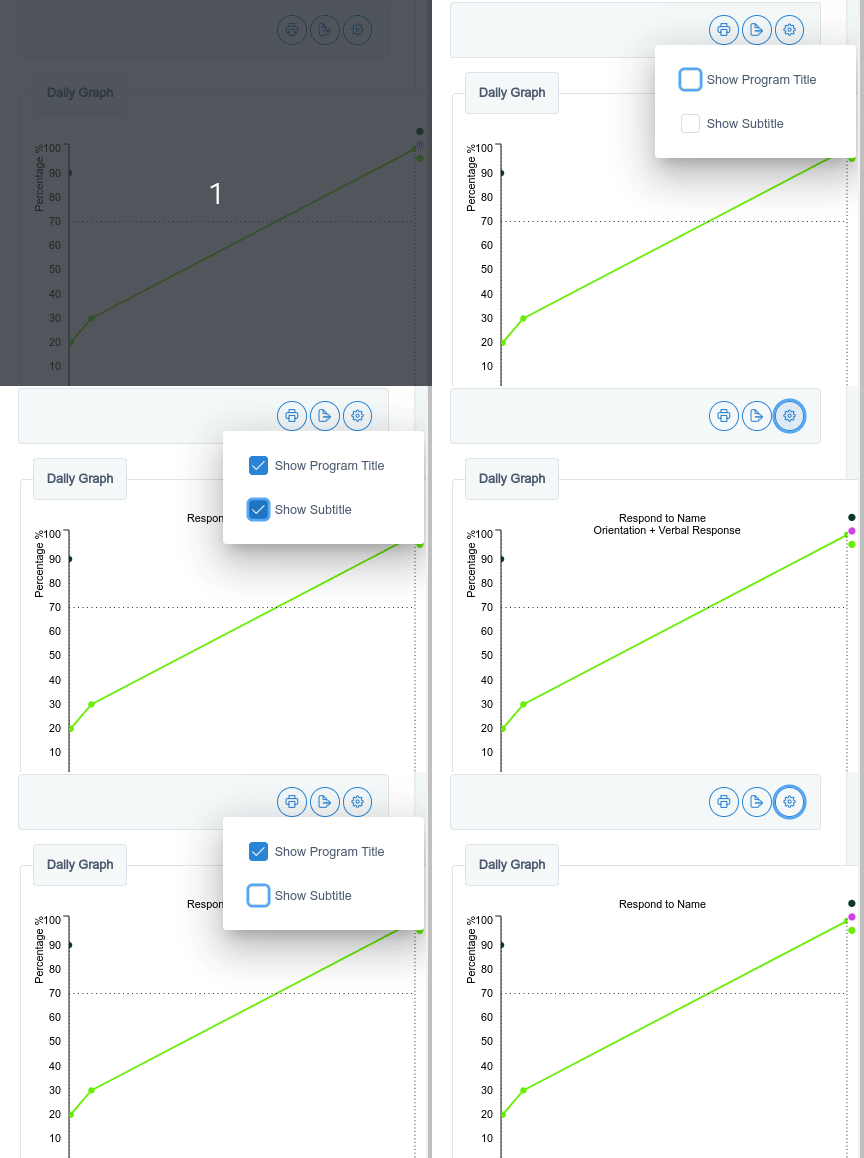
Optional Title and Subtitle in Graphs
Now you can decide whether the program's title and subtitle are added or removed from a graph. |
- Assessment Scoring Component: added exporter to Excel instead of CSV format.
- Custom Forms: support for Center Forms, User Forms and Client Forms.
|
|
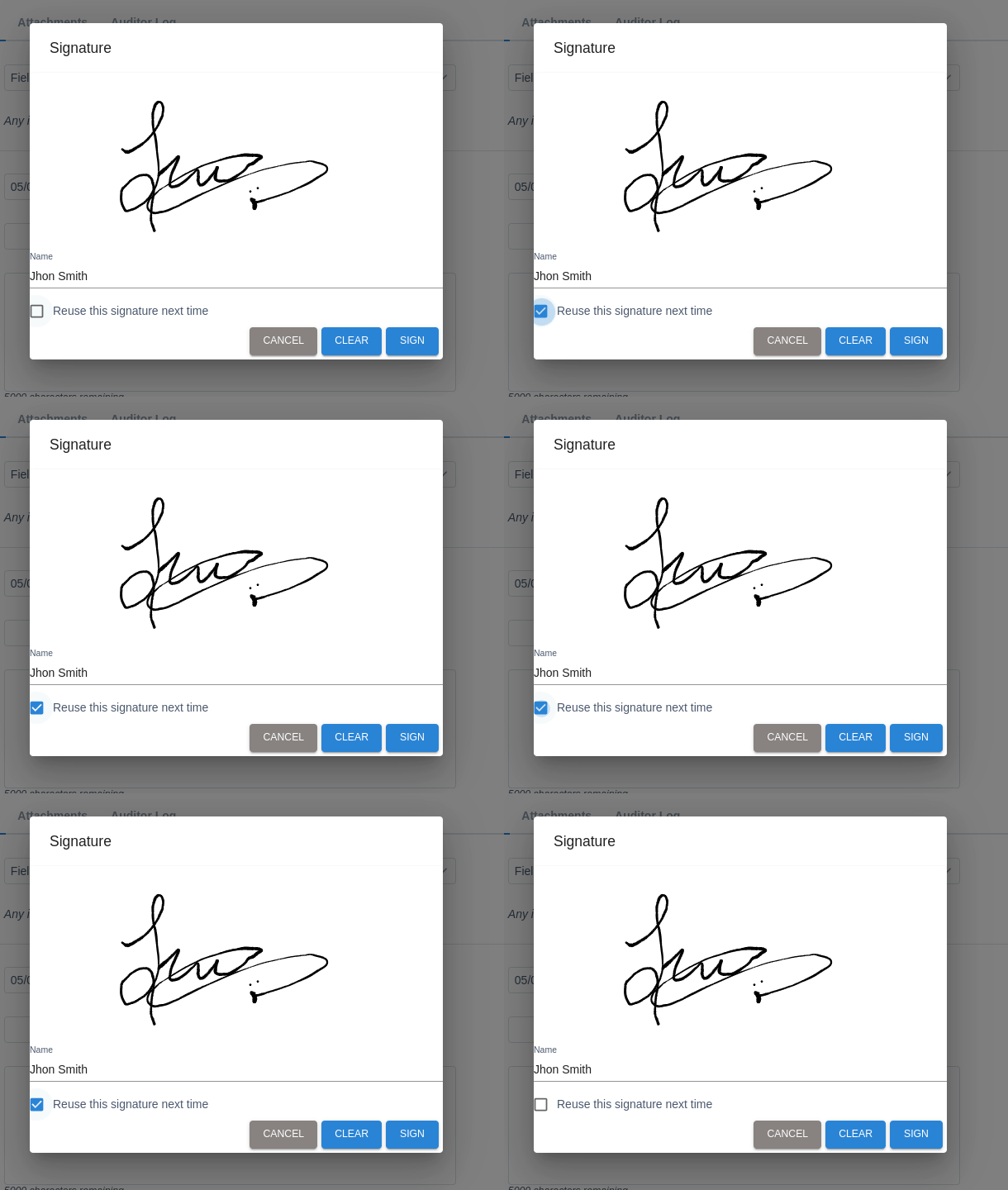
Signature Efficiency: Reuse Your Latest for Multiple Session Notes
Streamline your signing process by reusing your latest signature for multiple Session Notes, saving you time and effort.
|
- Added ‘Shaping’, ‘Least to Most’ and ‘Most to Least’ as prompt’s options.
- Redesign of the score viewer component for the Assessment Answers Dashboard and the Historic details of the Assessment Execution screen.
- Score Viewer component: added expand-all, collapse-all options.
- Score Viewer component: rendering both start and finalization execution dates.
Bug Fixes
- Fixed error message when updating records right after the creation of a new client.
- Add comments to program execution: The side dialog remains open until the comment is created or cancelled, preventing accidental loss of typed information.
April 2024
|
|
Deactivate or Delete Unused Service Codes
Hide unused codes t o streamline your lists and reduce clutter.
|
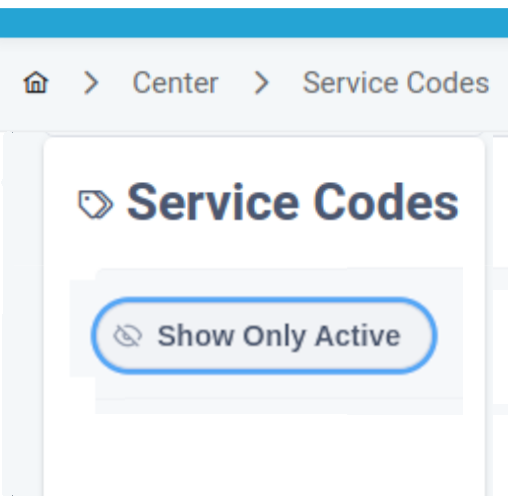
- Added ability to deactivate or delete unused Service Code assignments per Client
- Added ability to deactivate or delete unused Service Code assignments per User
- Added Assessment Execution Score Table to show assessment answers and scores together
- Added button to export the Behavior Log
- Added behavior Logs into the custom system backup service
- Increased file size for supplemental information file uploads in program templates to 100mb
Bug Fixes
- Fixed an issue in session notes where the "additional info" section remained expanded when adding service codes
- Fixed an issue where the Daily Program report would not print when the account color theme was changed
- Fixed an issue causing procedure lines not left-aligning in program templates
- Options for section selection should no longer be hidden when the user is executing an assessment
- The “Are you sure you want to leave this page?” message should now appear only when you try to leave a screen where you’ve made unsaved changes
- The selection of a range of execution dates in the program list report should now allow a proper selection of dates
March 2024
- Fixed issue related to multiple tabs of same view.
- Task Analysis enhancements to target changing.
February 2024
|
|
Animated Flashcards
Infuse ninja-like flair into your flashcards! Enhance your virtual materials slides with captivating animation effects.
|

January 2024
|
|
Zoom Integration
Discover the seamless integration of Zoom meetings directly within your calendar events. Dive into our detailed help article to effortlessly set up the connection..
|

- Added enhancements to the Assessment Editor to facilitate adding multiple categories to questions.
- Increased the size limits for attachments.
December 2023
- Dual Date Selector: added NOW and TODAY buttons.
- Help Search Field: support for enter key to trigger searching.
|
|
Keep local backups of your center data
UnitusTI provides automatic backups for all accounts as a standard feature. For those needing additional control, an optional tool is now available as an add-on service for maintaining local backups.
|