In UnitusTI, look for the question mark icon at the top of the screen:

Selecting this icon brings up the Quick Help screen, where you can enter search criteria to find help articles and videos.
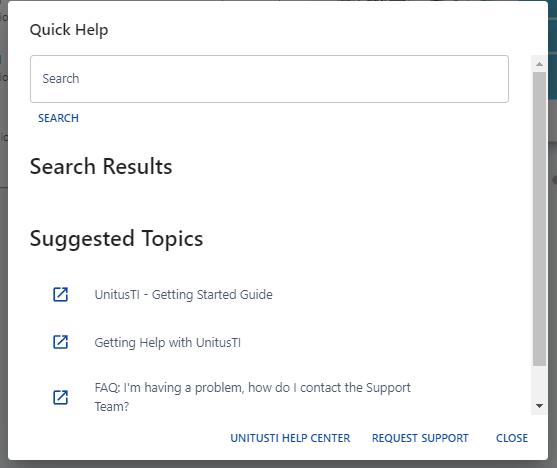
Links at the bottom of this window include:
UnitusTI Help Center : select this link to open the Help Center webpage in a new browser tab. The help center has all help articles, FAQs, update information, Marketplace guides and how-to’s. Submit a support request here, too. We recommend bookmarking the site so that you can get help without needing to log into UnitusTI.
Request Support : Create a support request to ask a question, report an issue or request a new system feature. Support requests are responded to via email during business hours. If you have not received a reply in 24 business hours, please check your spam folder and reach out again. Support hours are Mon-Fri, 9:00am to 5:00 pm PST. Emergency help may be available outside these hours, as needed.