Our login guidelines are based on strict FERPA and HIPAA guidelines, and are intended to provide the highest security measures to protect your account from being accessed by unauthorized users. We understand that this may mean that your login experience is different than with other sites that don't meet this level of privacy protection. We'll do everything we can to help you navigate this for the optimal login experience under these guidelines.
If you see the error message "The Center ID and/or user credentials are incorrect", this means that one of the input fields has incorrect information. Verify that you are entering the correct information in each field:
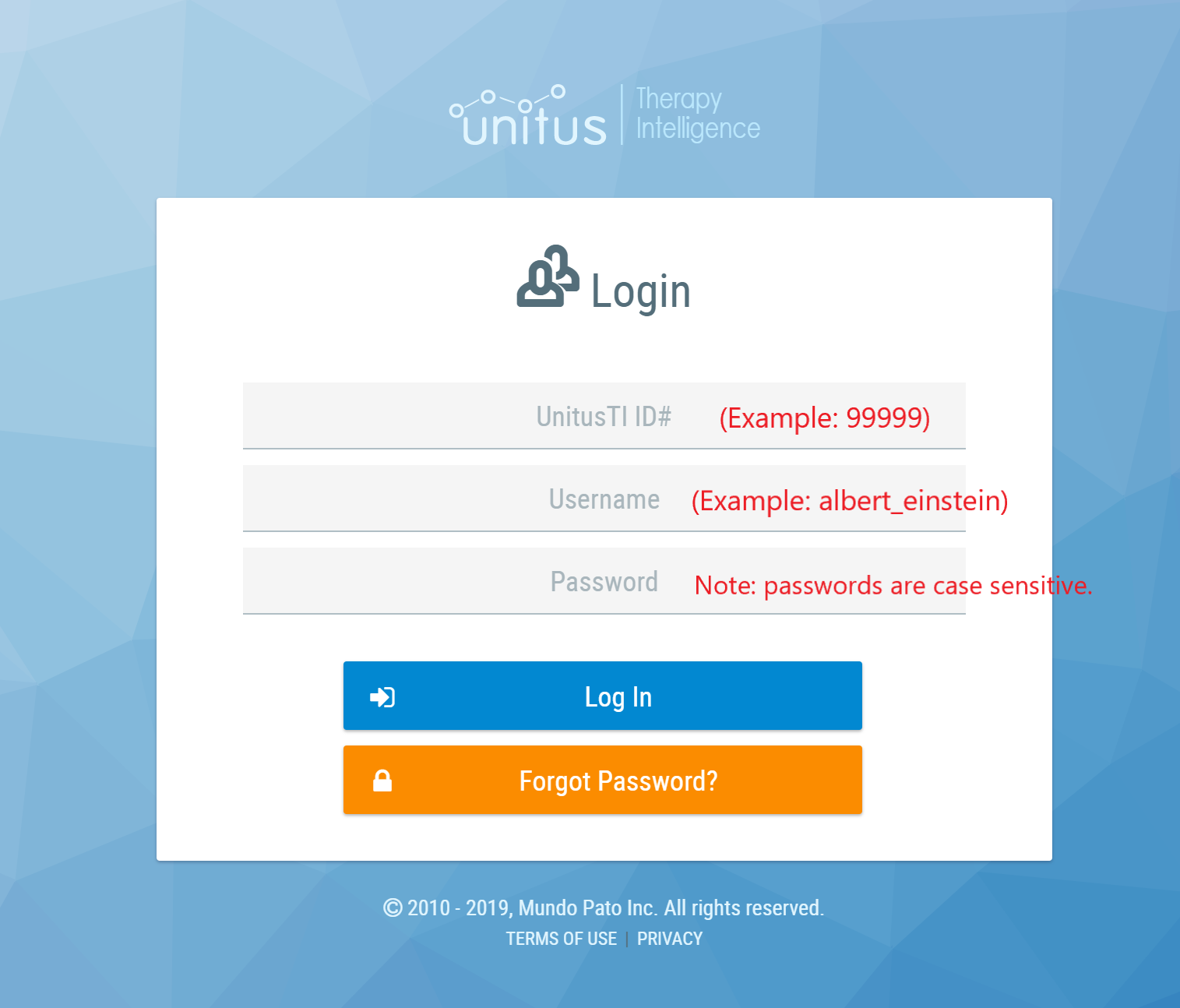
- UnitusTI ID : this is your 5-digit UnitusTI number (your account number )and is the same for all users in your account. (Tip: Be careful not to accidentally include spaces in this field.
- Username: this is the User ID that you (or your administrator) set up when creating your user profile in User List (Tip: Be careful not to accidentally include spaces in this field.)
- Password: the password is case sensitive, must include uppercase and lowercase letters and at least one special character (such as $, !, %, etc.). (Tip: Be careful not to accidentally include spaces in this field.)
Locked account: If you enter your password incorrectly more than 5 times, your account will be locked. We are restricted from alerting you on the screen that your account is locked, as this can potentially inform malicious attempts to gain access to your account. If you receive an error message 5 times, simply proceed to the Forgot Password screen to reset your password and unlock your account or ask your account administrator to reset your password for you in the User List.
URL: UnitusTI is available on different servers to meet global compliance needs. Please check that you are trying to log in using the correct website URL for your region. Visit https://www.mundopato.com/unitustilogin to choose the link for your region.
Why can't we be more specific in letting you know why your login is not working?
Malicious attackers use a lot of seemingly harmless information to gain access to accounts. Specifying what piece of information was incorrect, or even verifying if you have a valid email on file, can provide malicious attackers with insights that they can use to gain access to your account or intentionally lock you out of your account. Our failed login messages are intentionally non-specific for this reason. The way our messages are written, and the type of messages we can provide, are specifically designed to meet strict privacy guidelines.