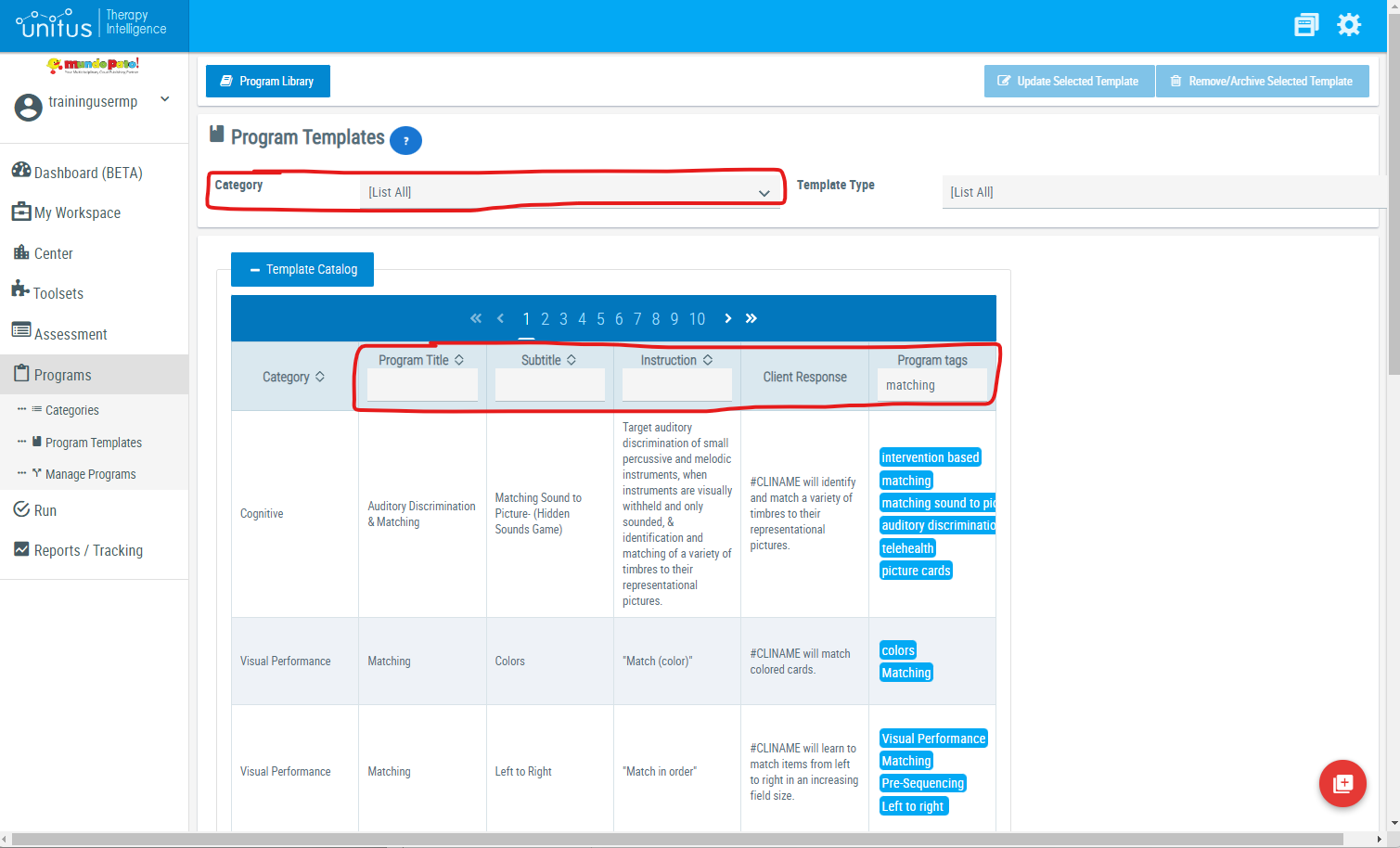
In the list of program templates (found either in Programs/Program Templates, or while adding a program to a program list in Manage Programs) search for specific programs in several ways:
- Filter by Category: use the Category drop-down menu to select a specific category to narrow your search.
- Filter by title, subtitle, instruction or tags: Begin typing into one the white boxes at the top of these columns to see the program list options change. (Be sure to only fill one field at a time for optimal search results.)