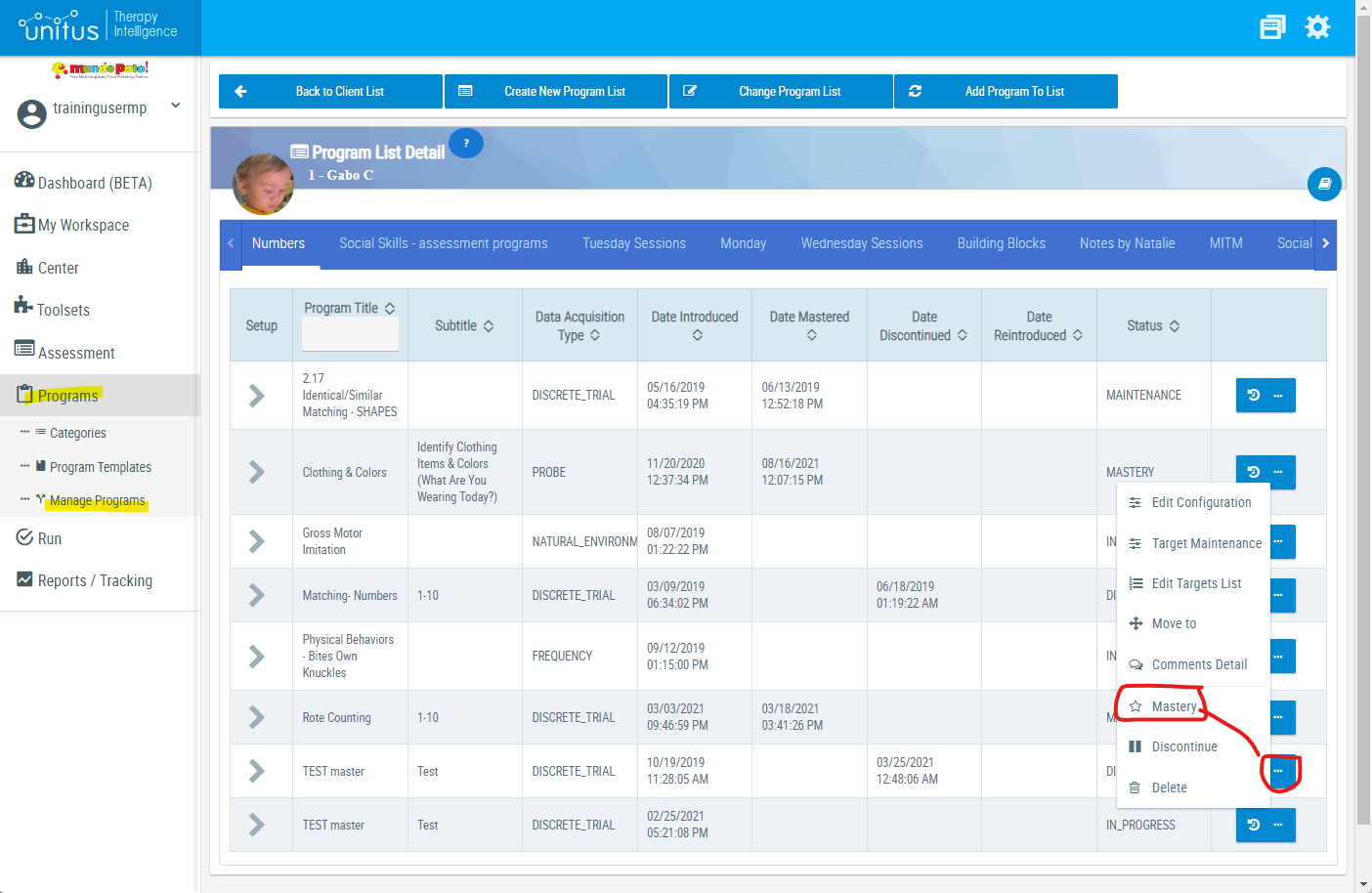
Once all the selected targets in a program have reached mastery (based on the program configuration set for the client) and you are ready to stop running it, it can be labeled as Mastered which will remove it from the Run Program screen for the client.
- In the Program Management page for the client, locate the program in the appropriate program list. (Note: if all targets have reached mastery, the program will have a star icon next to it, however the program may still be marked as mastered even without all targets reaching mastery.)
- Click the Action icon ("...") in the far right column and select "Mastery"
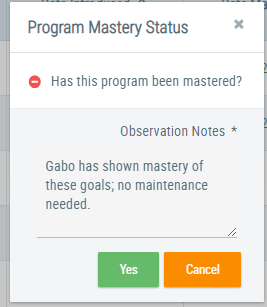
- Enter an observation note to confirm that you want to mark the program as mastered, and then click "Yes".