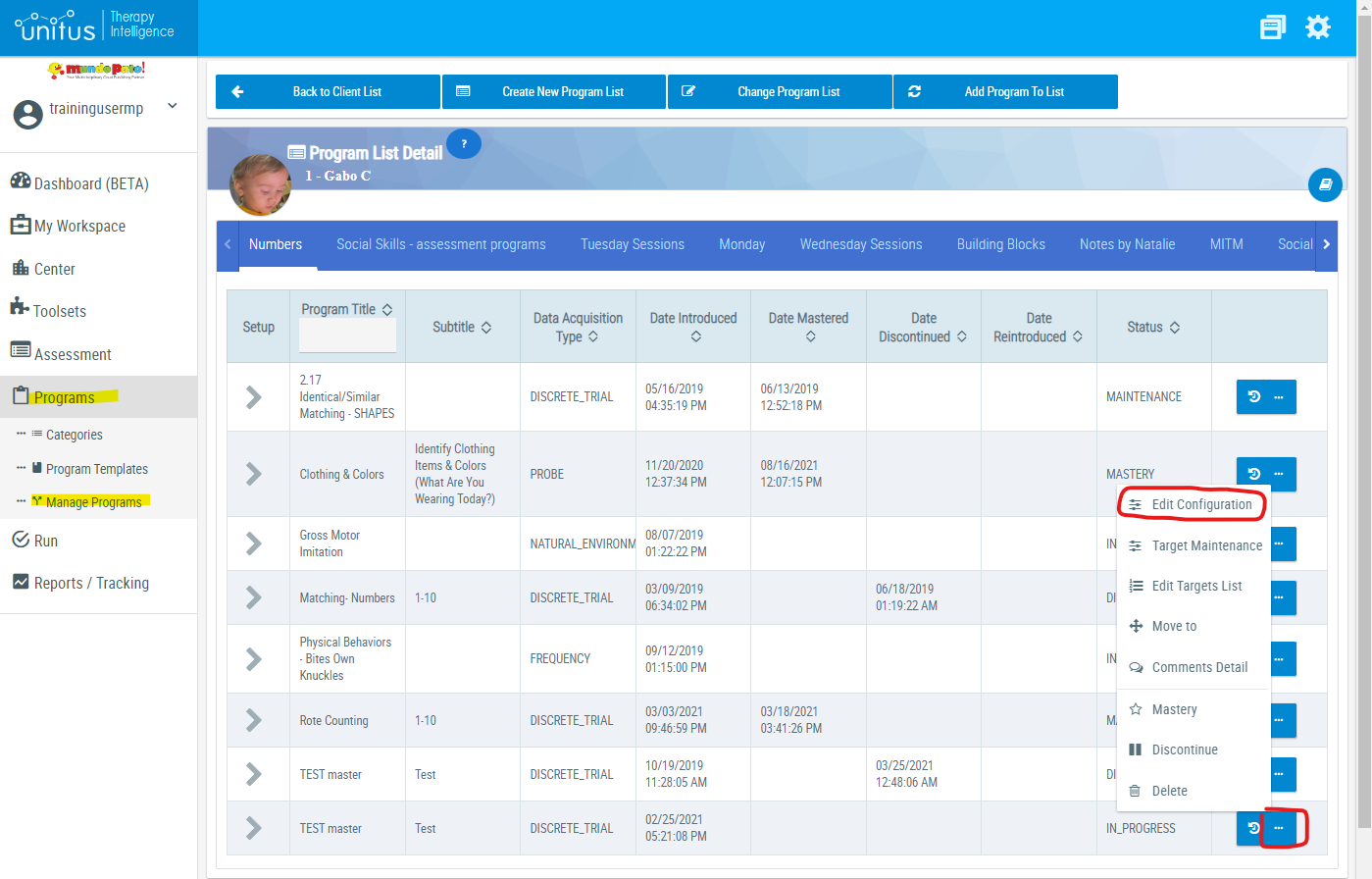
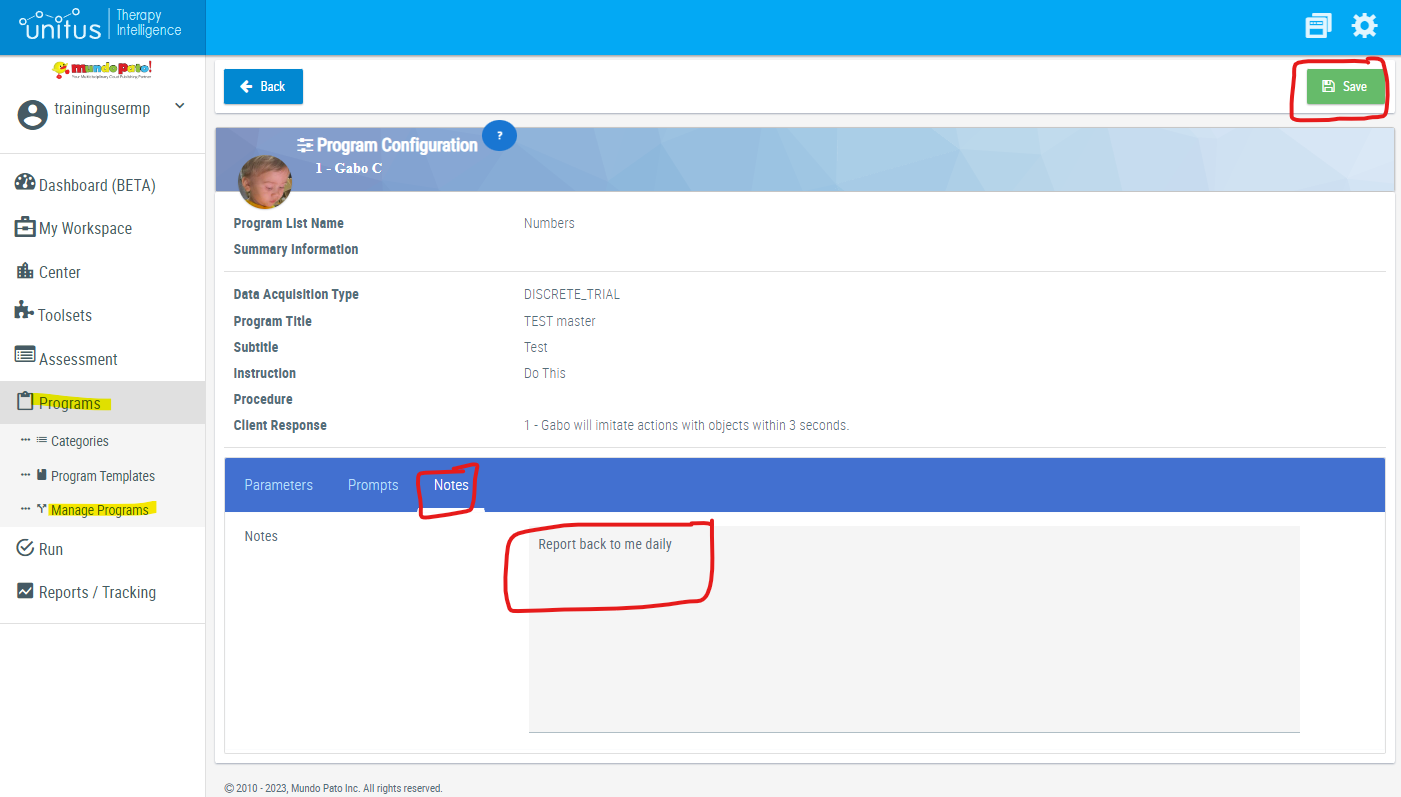
The notes section can be edited from the manage programs page for the client:
- In the main menu, select "Manage Programs"
- Select the client
- In the Actions column for the program whose notes you want to edit, click the "..." button and select "Edit Configuration"
- Select the tab labeled "Notes"
- Enter your desired note
- Click the green “Save” button in the top right corner of the page