Client Forms: Individualized Education Plans (IEPs)
Center Forms: Safety Inspection Record
Finding Custom Forms in UnitusTI
Introduction
Important: This tool is in the BETA stage. It is under active development and may undergo major changes as new features are added or modified. If you think Custom Forms brings value to your organization, please try it and send us your feedback. Your ideas and suggestions are very welcome!
Custom Forms is a new tool in the UnitusTI platform that allows users to design their own form templates.
You can design different types of form templates, for three different scopes:
- Center Forms
- User Forms
- Client Forms
In the next step, you can visit the profiles of specific users or clients (or the center’s custom form area) and create forms based on the previously designed templates. Data in each form can be filled in collaboratively.
Usage examples
Client Forms: Individualized Education Plans (IEPs)
In schools, a n Individualized Education Plan (IEP) is used to plan, manage and track the progress of an individual student that is eligible for special education.
IEP documents are typically managed by a team that involves teachers, special education teachers, administrators, therapists, parents and the student. Therefore, having concurrent versioning and auditable logs of each field changed in the document is important.
You can create IEP forms per student (“client”) and track historic records of changes and exported reports throughout the school year.
User Forms: Curriculum
You may want to design a standard curriculum form and assign it to each member of your staff. In this example, a template form of type 'User' will do the job.
Center Forms: Safety Inspection Record
Let’s say each month you want to conduct a physical review of your facilities to ensure that all the furniture, doors, windows, etc., are safe from the point of view of your clients. You can design a 'Safety Inspection Record' in the Custom Form Designer for the scope 'Center' and assign it to your center’s forms area.
Custom Forms vs. Assessments
Custom Forms extends the ability of UnitusTI to store in a secure way custom information about your clients. They complement the Assessment module, and sometimes you will need to consider under which scenario each tool is the best for the job.
Assessments |
Custom Forms |
Can be used to compare statistic values and scores between multiple executions and even different clients. |
Don’t offer scoring nor comparisons between different documents. More oriented to keep open a document that can be edited over a long period of time. |
Once an assessment is executed, it is closed. You will need to run a different execution in order to capture data again in a future session. You will need to enter again all the information for the new execution. |
The data entered the last time is available the next time you open a Custom Form. |
You can’t modify old data. |
You can modify old data. |
only one person can use it at a time |
a team of users can edit at the same time |
Finding Custom Forms in UnitusTI
You can find Custom Forms in four places in UnitusTI:
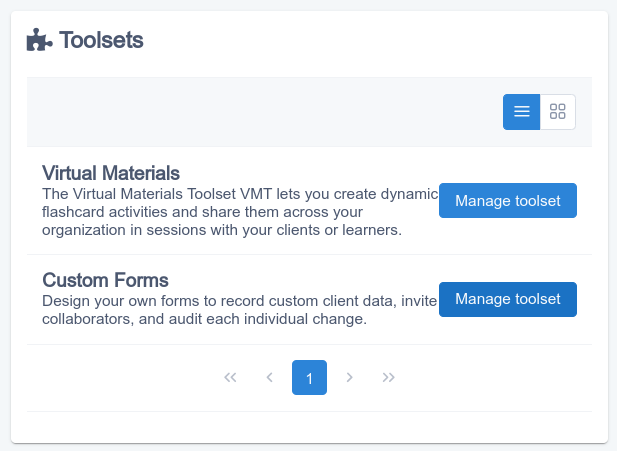
- The Custom Forms Designer can be found in the Toolsets screen. Go here first if you want to design a new Form Template.
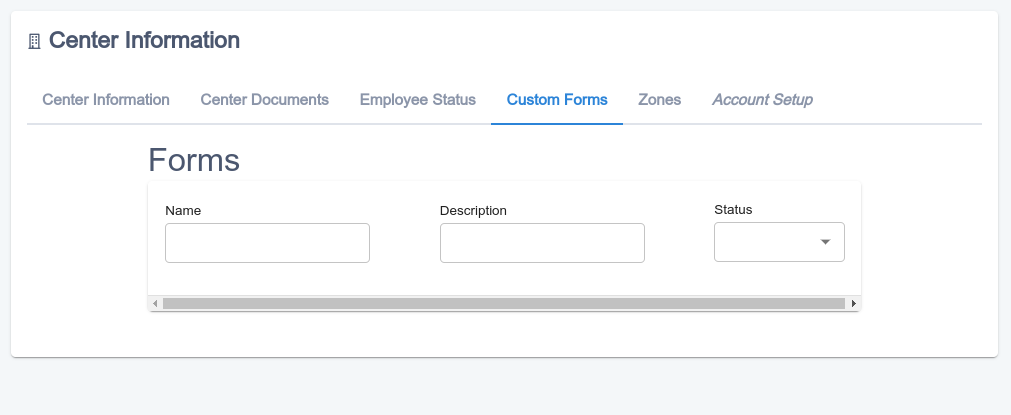
- The Center Forms can be found in the Center - Center Information screen:
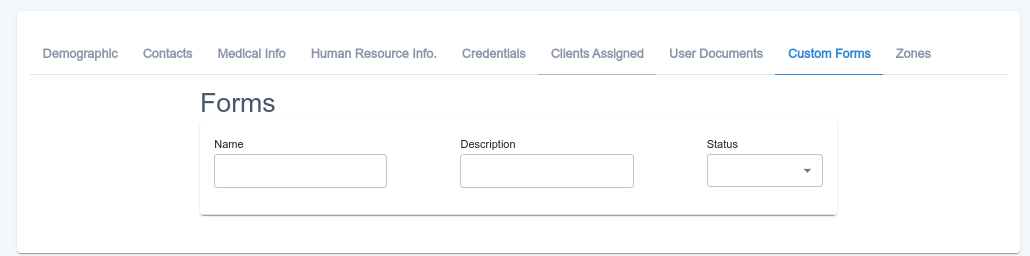
- The User Forms can be found in each one of the user’s profiles: Center - User List - Update Account
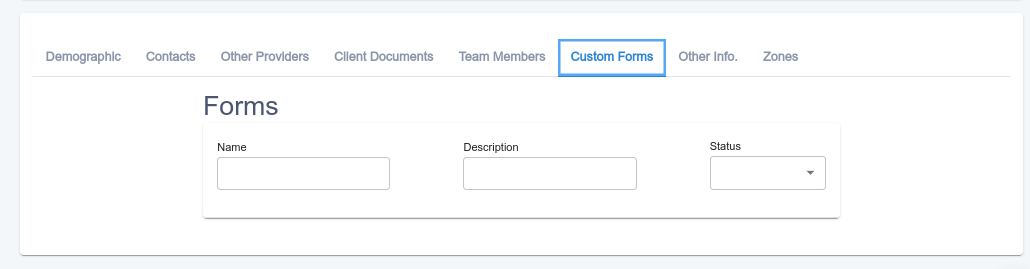
- The Client Forms can be found in each one of the client’s profiles: Center - My Clients - Update :
Understanding Forms
Custom Forms are forms that you can design and link copies to individual clients, users or to the center itself.
A form contains sections and each section contains fields with different properties and configuration settings. Some of these fields have the ability to pull data from the client’s records in other parts of UnitusTI (e.g. the Legal Guardian’s name).
Locking and unlocking
A center, user or client Custom Form can be locked by the editors to prevent changes to the document temporarily.
The open lock icon in the upper part indicates that this document accept changes:

By clicking on the lock icon, the document is set in Lock status:

Assigning members
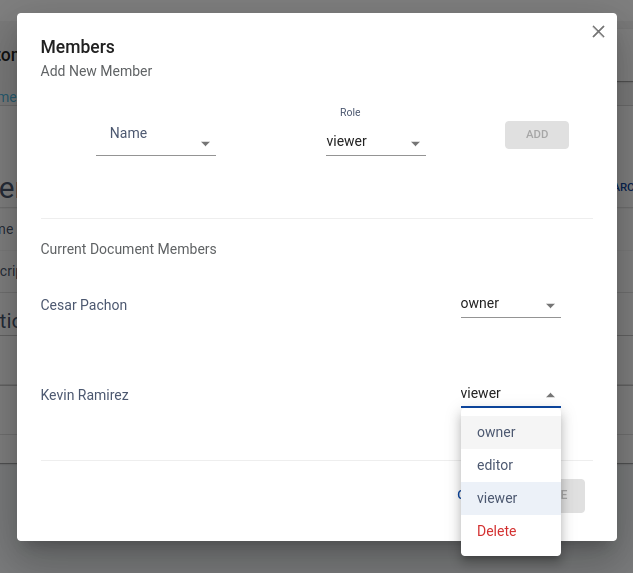
You can associate a team of users to the Form, each one with different privileges: owner, editor or viewers.
In the example of the IEP for Schools, a team may be comprised of the School Director, the Psychologist, the parents, etc. Some of them will have privileges to change information, others may be desirable that only can see the information without changing it.
The IEP Team is expected to fill and update the Workbook along the year, in periodic IEP meetings.
A Client’s Form supports multiple users editing fields at the same time, and also provides auditing capabilities per field.
You can assign multiple team-members of the client with specific roles to the form by clicking on the members option. Each member can be assigned to a role, like “owner”, “editor” or “viewer”.
- Owners are the only ones that can delete or change the state of a client’s custom form.
- Editors can fill values in the form.
- Viewer can only view the form, without making any change.
Automatic Fields
FIelds that support automatic updates are connected to some part of UnitusTI in order to retrieve values.
This is the list of supported sources:
Source |
Status |
unitus: client: caseManager |
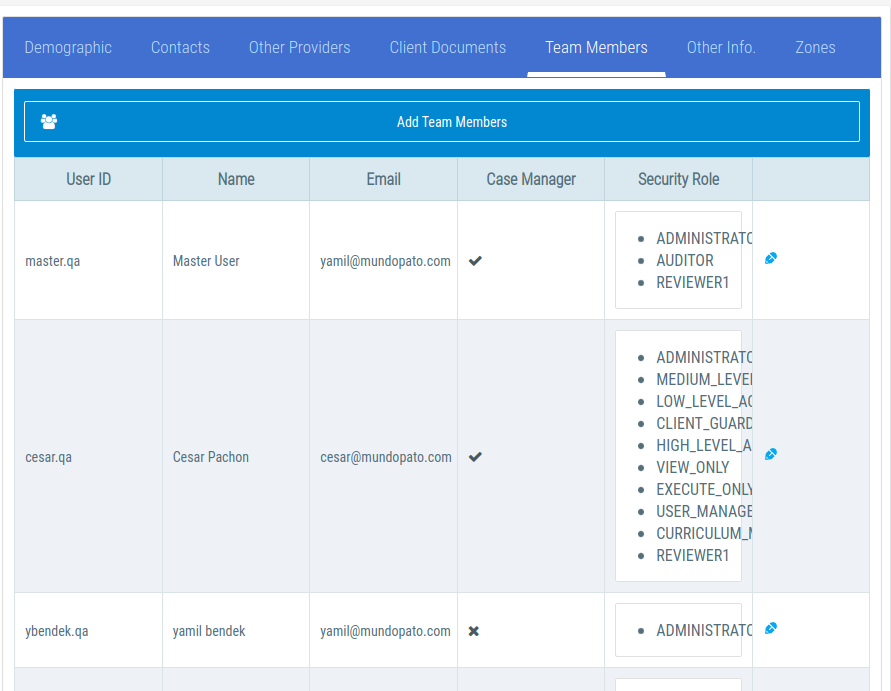
From “Client / Team Members” select one of the team members marked as “Case Manager”.
|
unitus: client: parent |
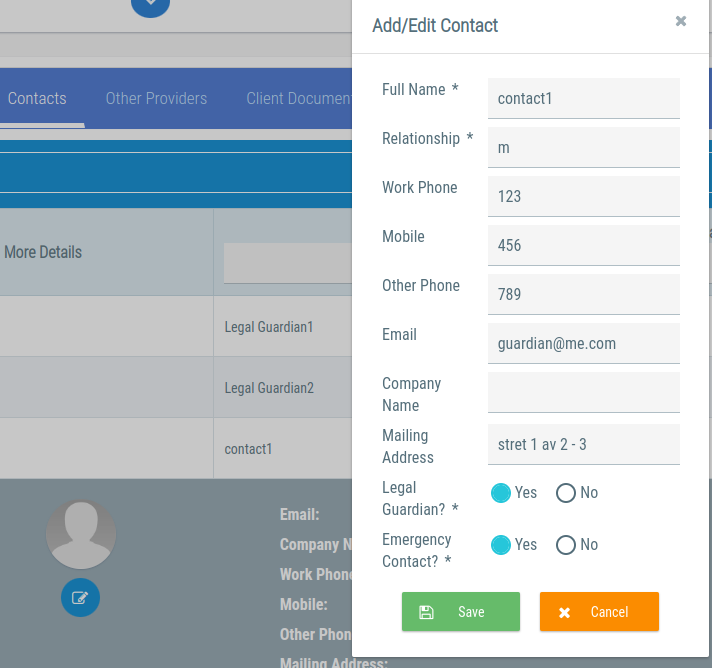
From "client/contacts" picks the legal guardian Full Name.
|
unitus: client: parentContact |
From "client/contacts" picks the legal guardian’s phone, email and mailing address information.
|
unitus: client: primaryTeacherContact |
Not implemented yet |
Future enhancements
¿What do you think of this new tool? ¿How could it be of help for your organization? Please let us know your ideas in order to create the best tool for your needs!