Program goals can be mapped to assessments so that when the assessment is complete, specific goals can be suggested based on the response given and quickly assigned directly from the client's results in the Manage Assessment area.
This functionality can be utilized if an assessment has been created using the mapping feature, as seen in the screenshot below and in this help video . You can check if an assessment has been mapped to suggested programs in the Assessment List, by selecting the arrow in the Actions column, then Assessment Mapping (see screenshot below):
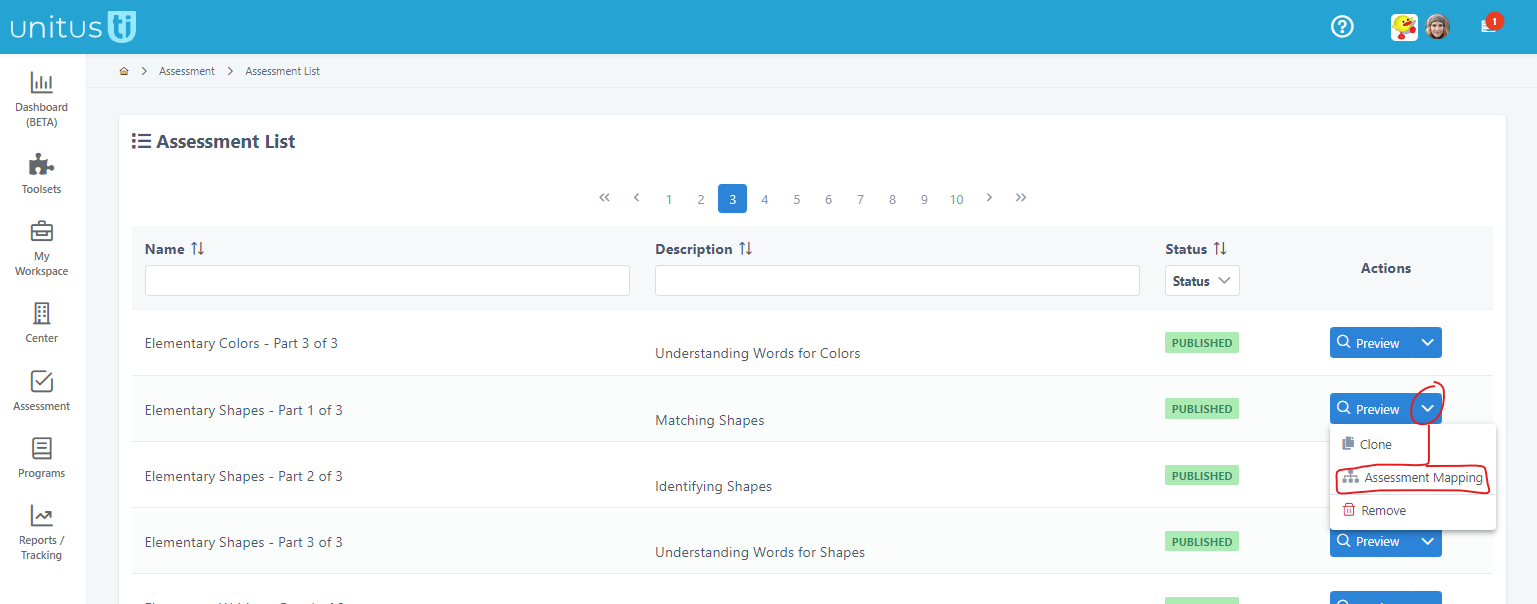
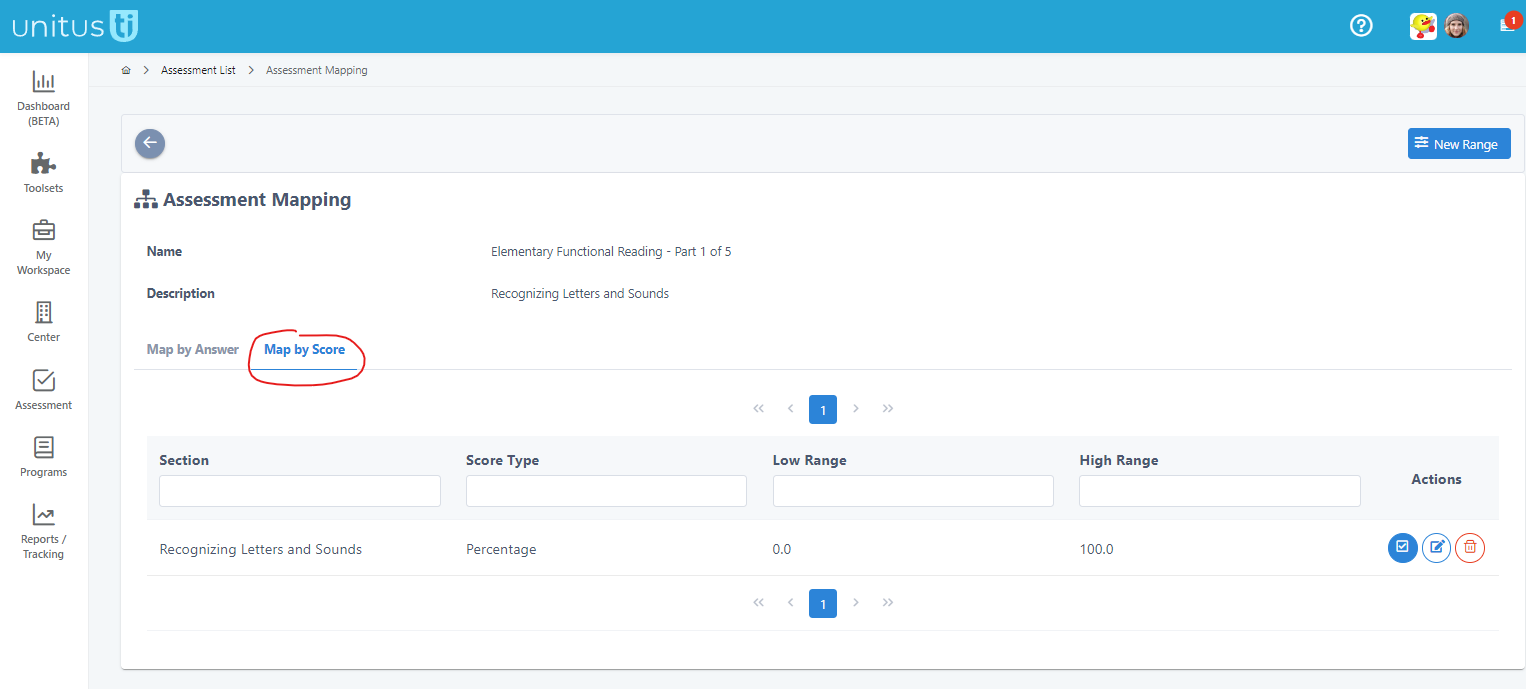
On the tabs Map by Answer or Map by Score, you can see if a program has been suggested.
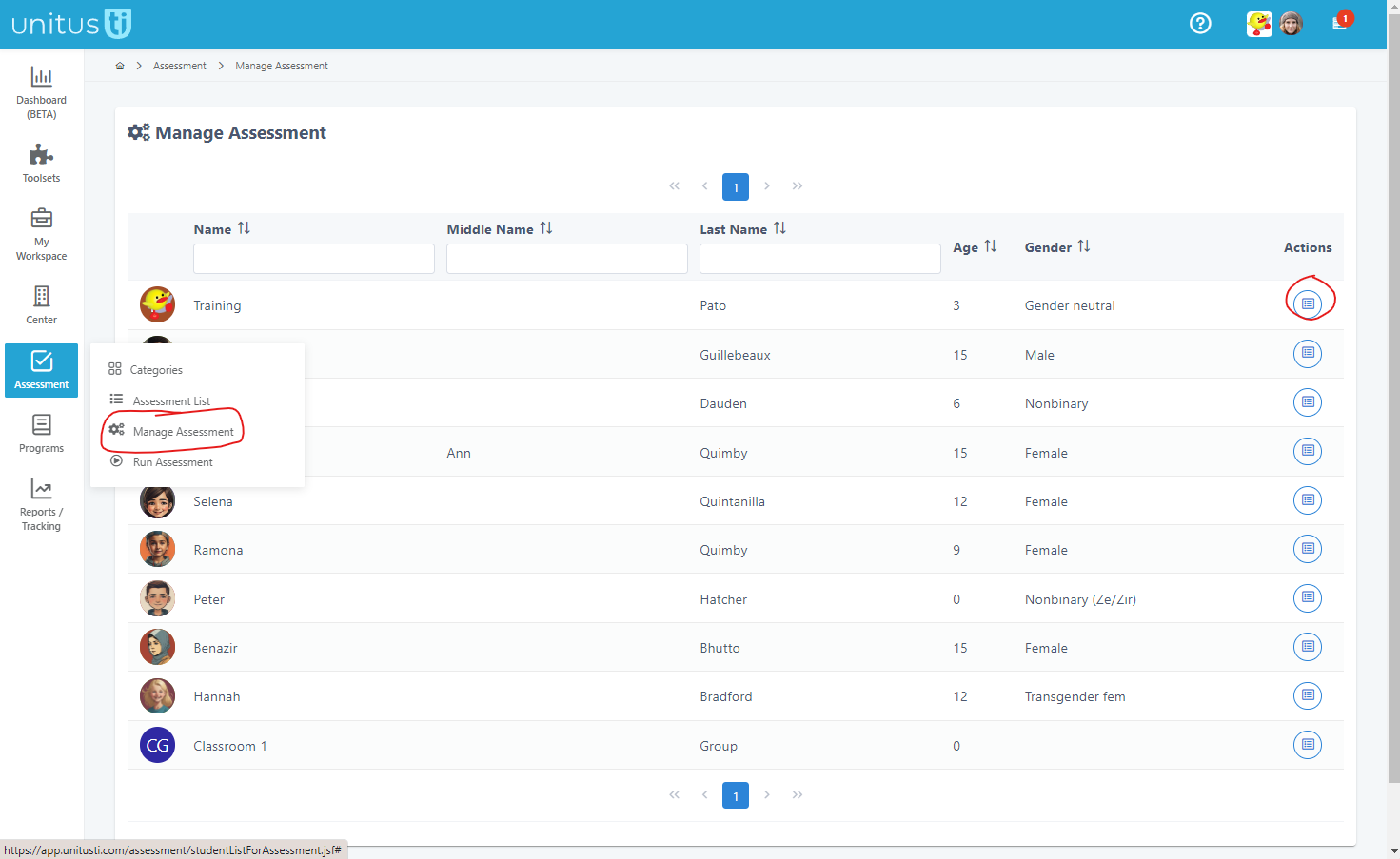
If an assessment has been mapped to suggested to programs, after you complete an assessment with your client, you can review suggested programs from their Manage Assessment page, in this way:
- Navigate to Assessment in the main menu, then Manage Assessment
- Select the client
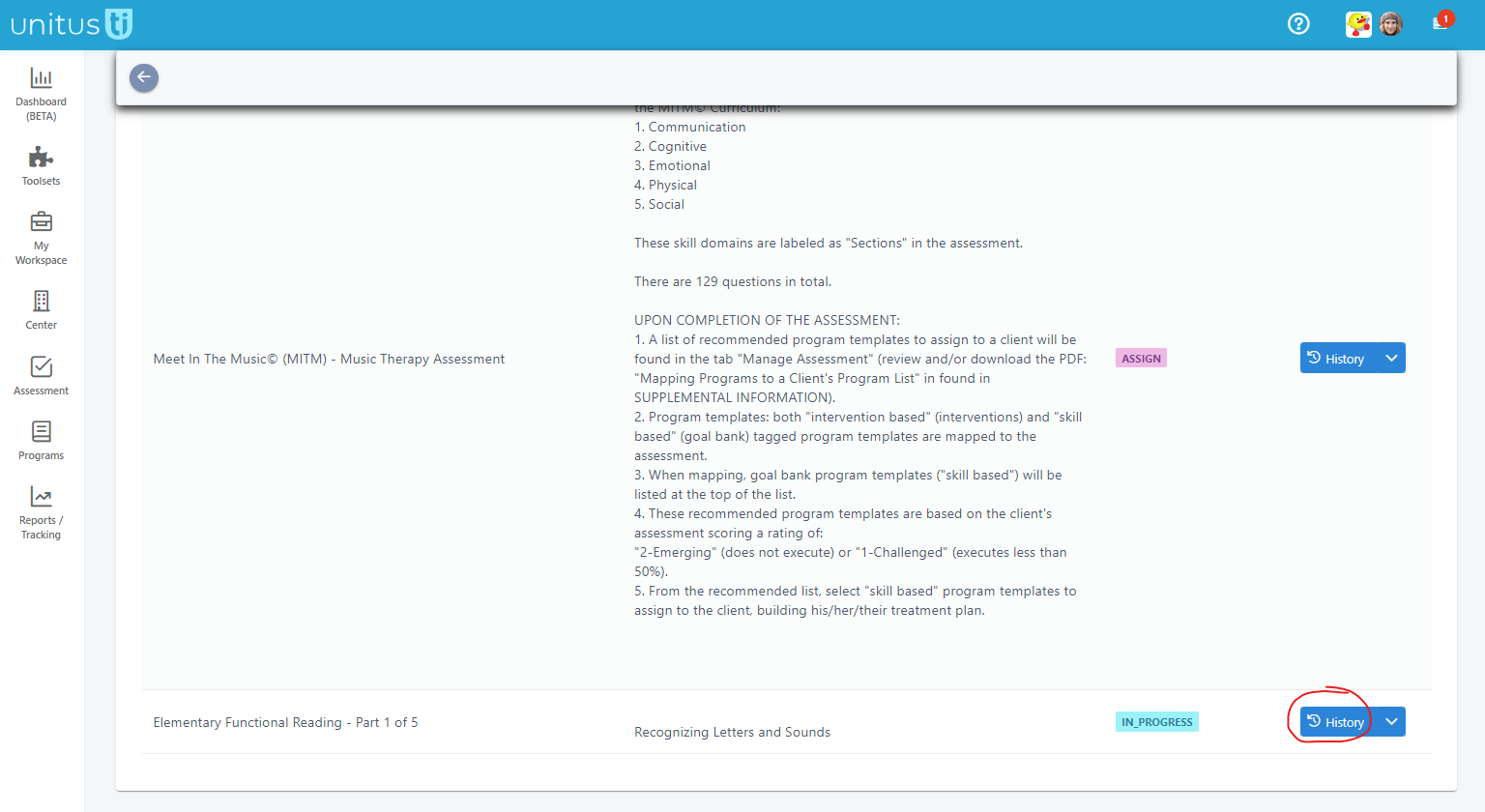
- Select the History button for the assessment
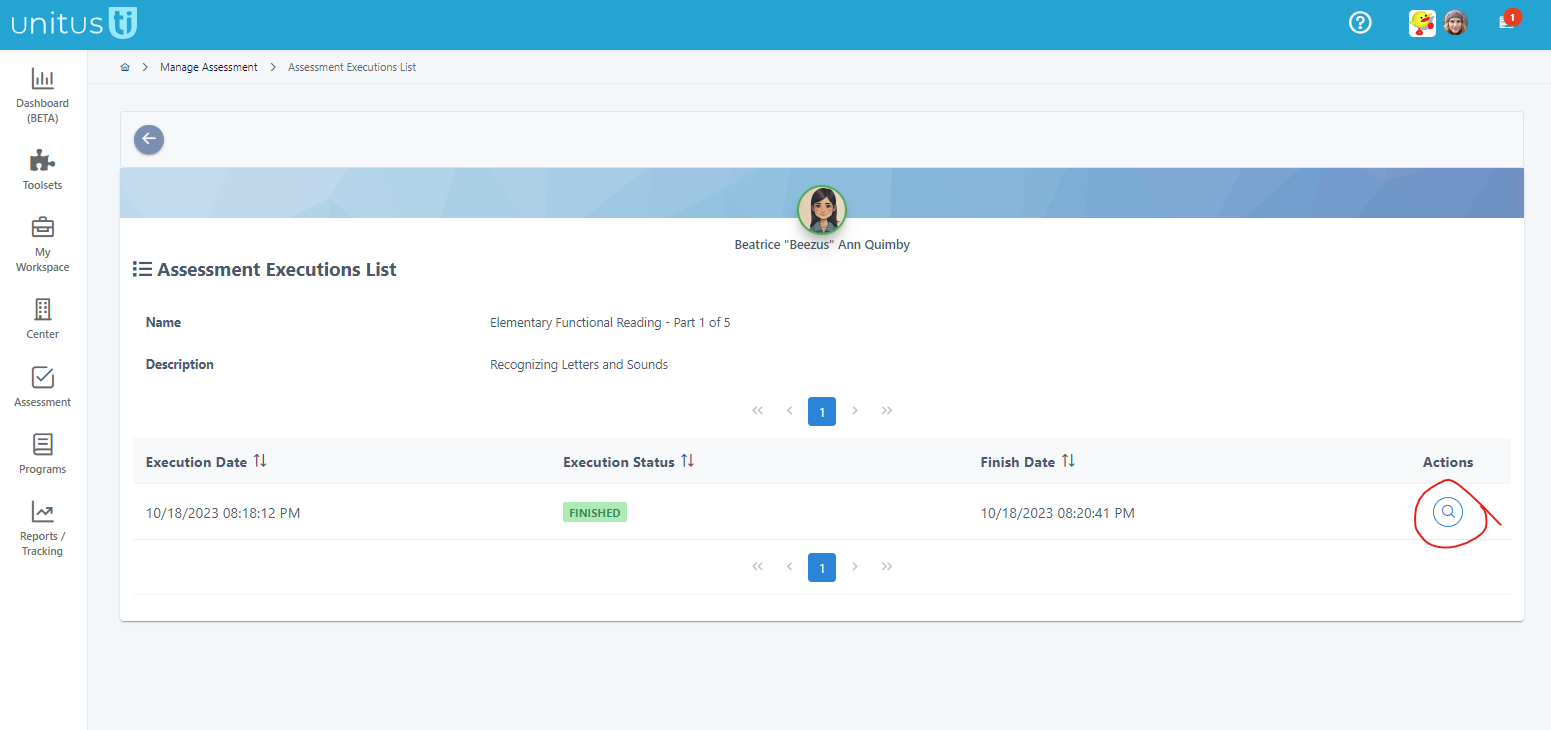
- On the next screen, select the Actions button (depending on how many times you've completed this assessment for this client, you may see a list to choose from)
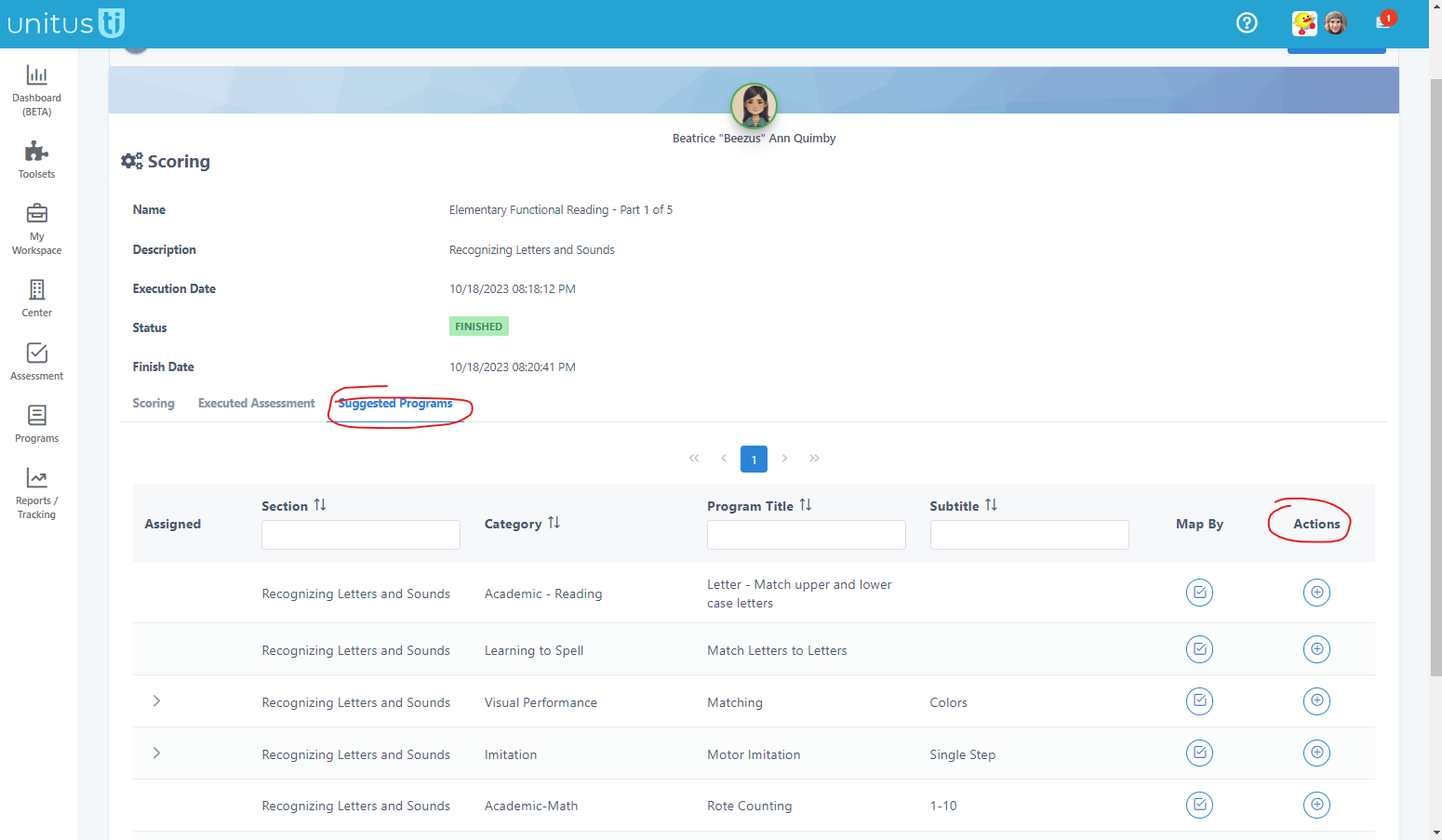
- In the next screen (Scoring), go to the Suggested Programs tab. A list of suggested programs for this client will appear. The "Map by" button will show you which answer prompted this suggested program and the Actions button will let you assign the program to the client. (Note that the same program template may be suggested multiple times; so if you have already assigned a particular program to the client, you don't need to assign it again. The client's Manage Programs area will show you all the assigned programs, if you wish to confirm.
Note that access to these areas, as well as permissions within them, may be restricted by your user security role.