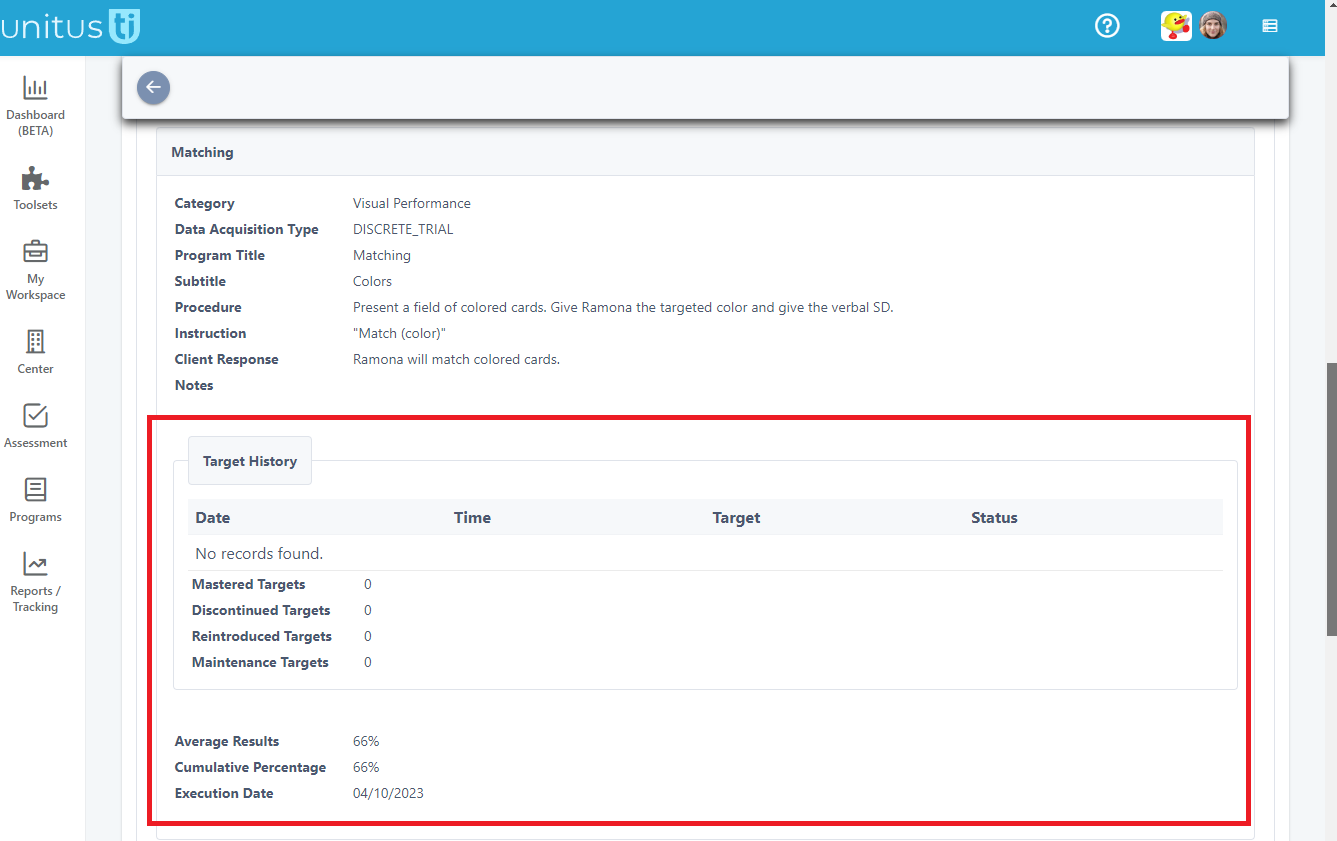
The Program List Report includes information about individual target history, cumulative percentage and average results. Follow the steps below to include this information in your reports:
- Navigate to Reports / Tracking in the main menu, then select the Program List Report
- Select a client
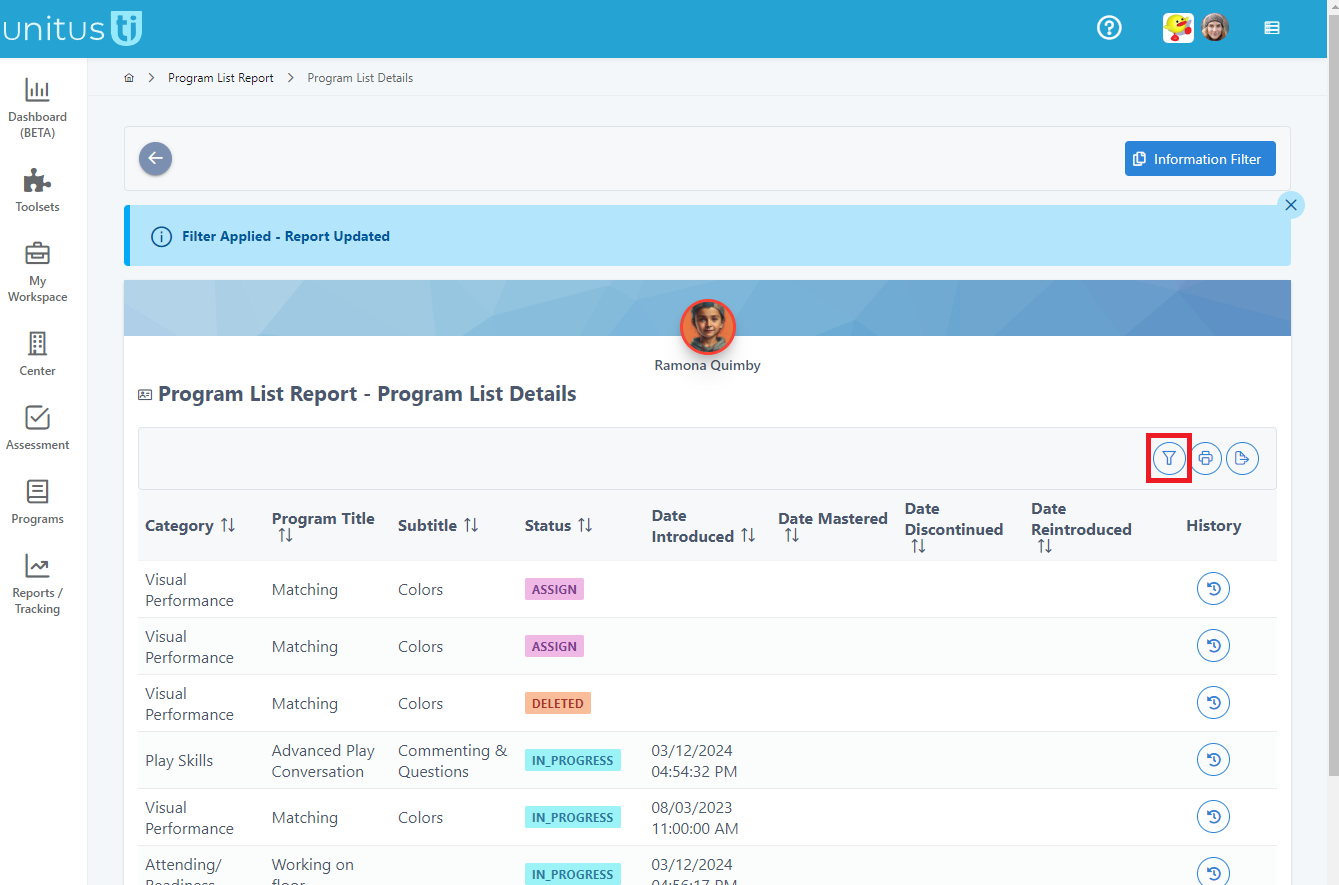
- Select the program filter button on the right side of the screen
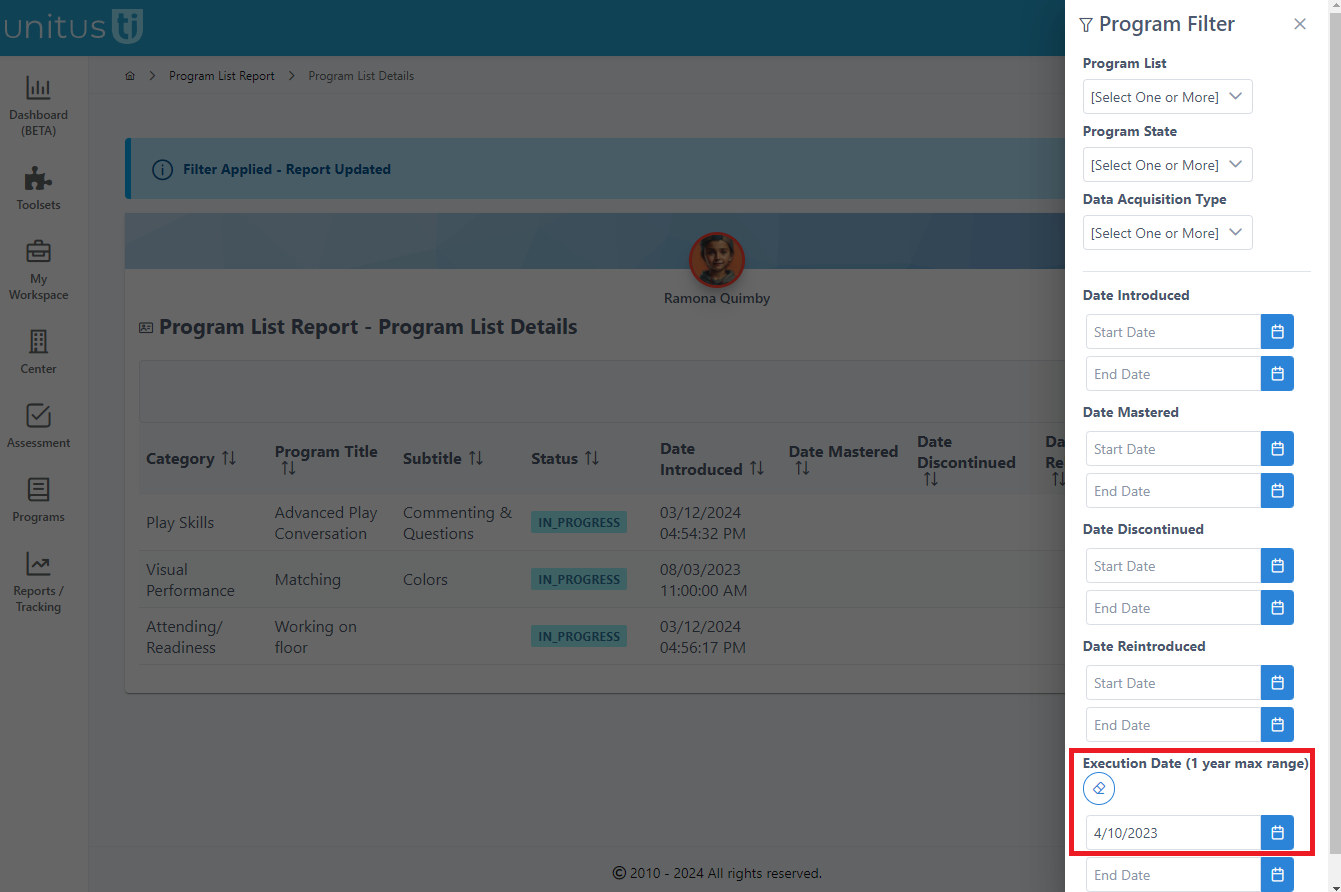
- Set a beginning "Execution Date". Leave the end date empty to automatically include one year of data from this date or add an optional end date to reduce this range.
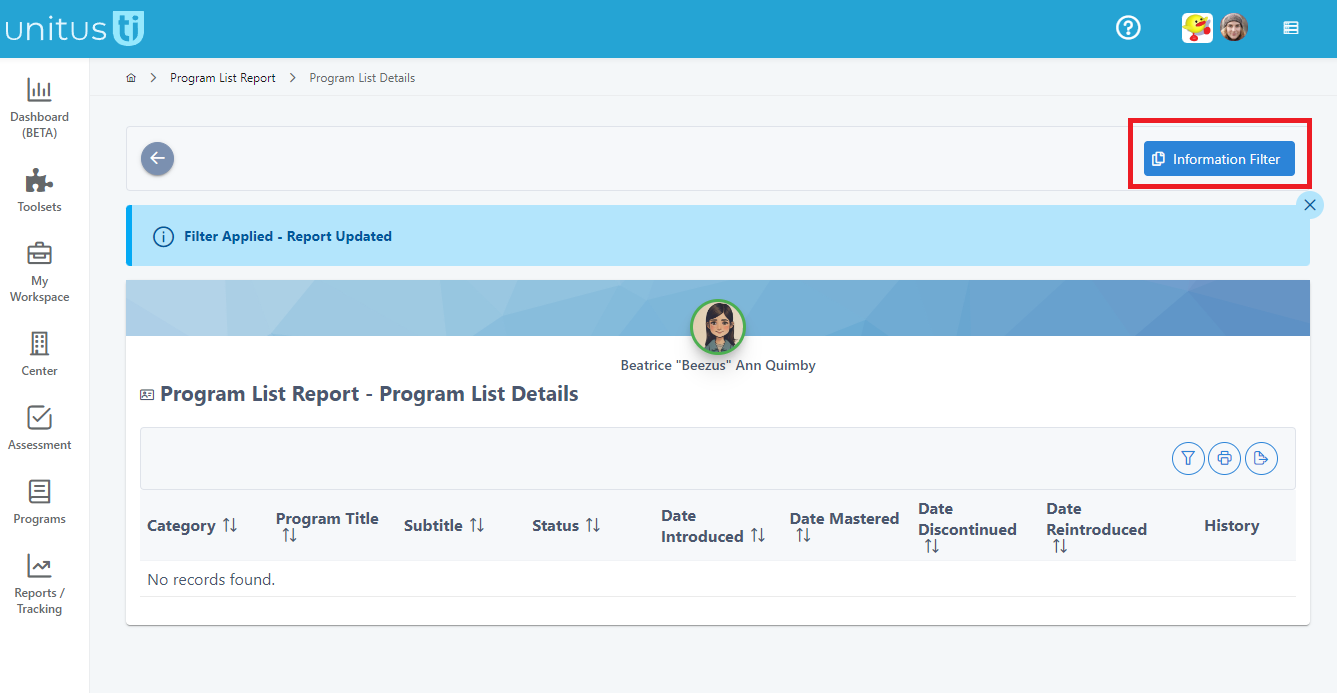
- Close the filter by clicking anywhere outside it or click the “x” in the corner. Then, click the Information Filter button in the top right hand corner of the screen.
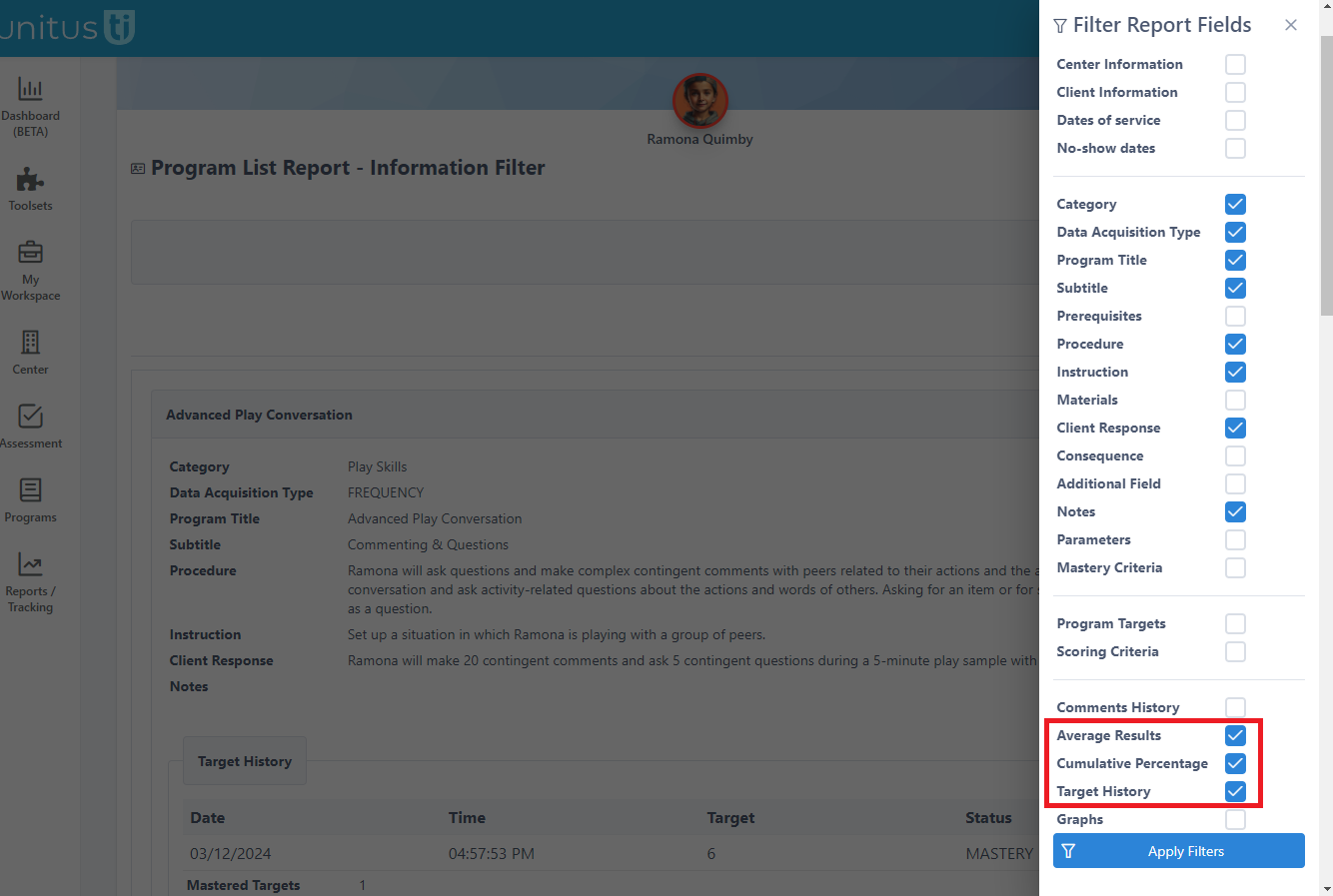
- In the Information Filter screen, click the filter icon. In the "Filter Report Fields" selection area, check the checkboxes for "Target History", “Average Results” and “Cumulative Percentage” (or whichever of those you wish to include) and then click "Apply Filters"
- The screen will now display the results for each program. Use the print or export buttons to share and save this report, as you wish.