Location: “Dashboard” in the main menu
You can use the Assessment Dashboard to view and export assessment execution data for your clients.
Step1: Open the dashboard
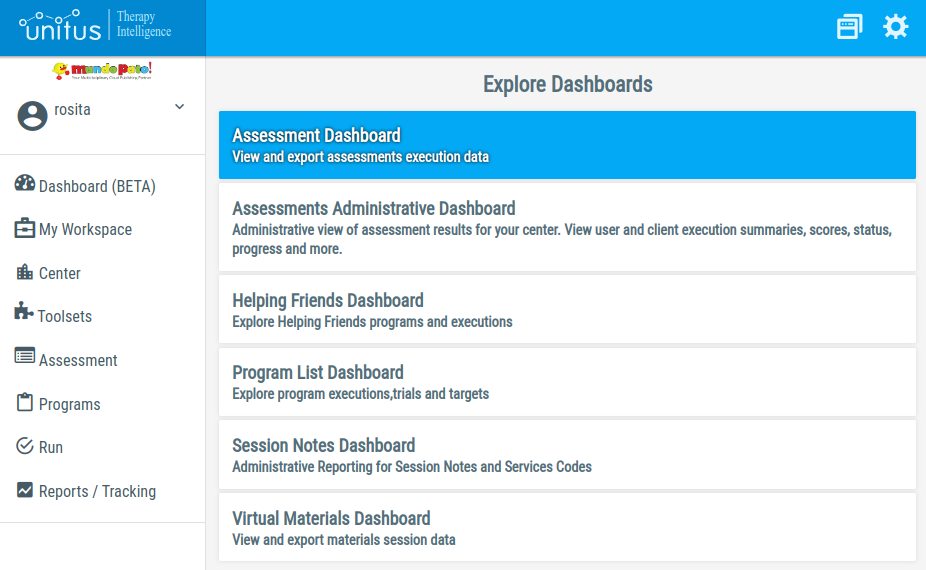
Select “Dashboard” in the main menu on the left, then the “Assessment Dashboard”:
Step 2: Select clients and execution dates
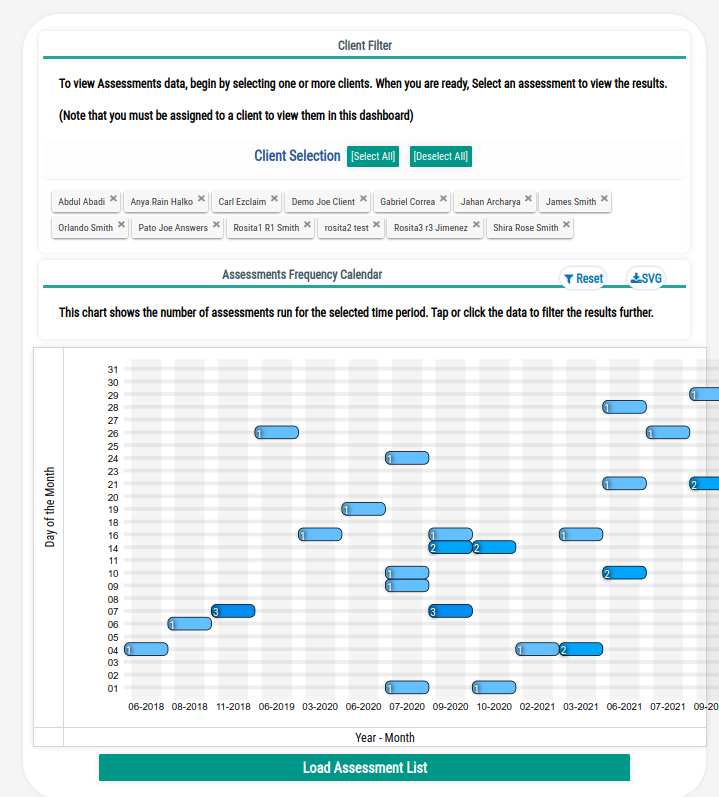
Use the Client Filter in the top to select the clients whose assessments do you want to review.
Use the Calendar to refine the search of the assessments executions to a specific date range.
Once you are satisfied with the selection, press the “Load Assessment List” button below the calendar:
Step 3: Select the desired assessment
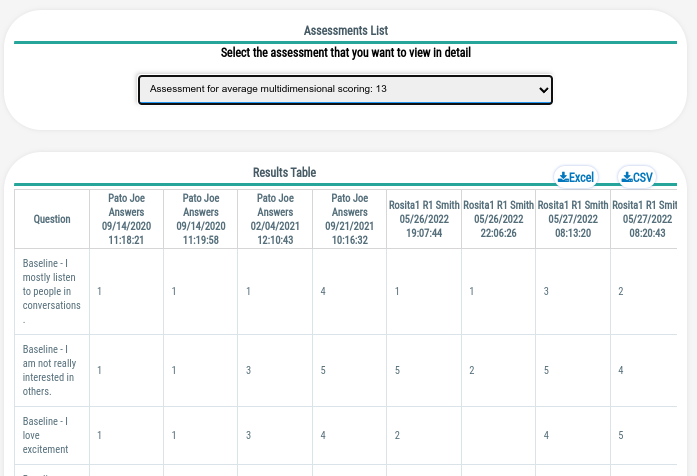
The assessment list will be populated with the list of assessments that had been executed for the selected clients and dates. Select The assessment that you are interested in review.
Note that when you select multiple clients, you can compare the results between them for the same assessment:
Step 4: Export the data
You can use the Excel and CSV buttons at the top-right corner of the results table to download a copy of the execution results.