UnitusTI provides a predefined list of prompts that can be used when configuring and running your programs. This list is fully customizable, allowing you to edit existing prompts or create new ones to suit your specific needs.
Note: Prompts are only available for the following Data Acquisition Types (DATs): Discrete Trial, Rating Scale, Natural Environment, and Task Analysis.
The option to customize the list of prompts can be found in two locations:
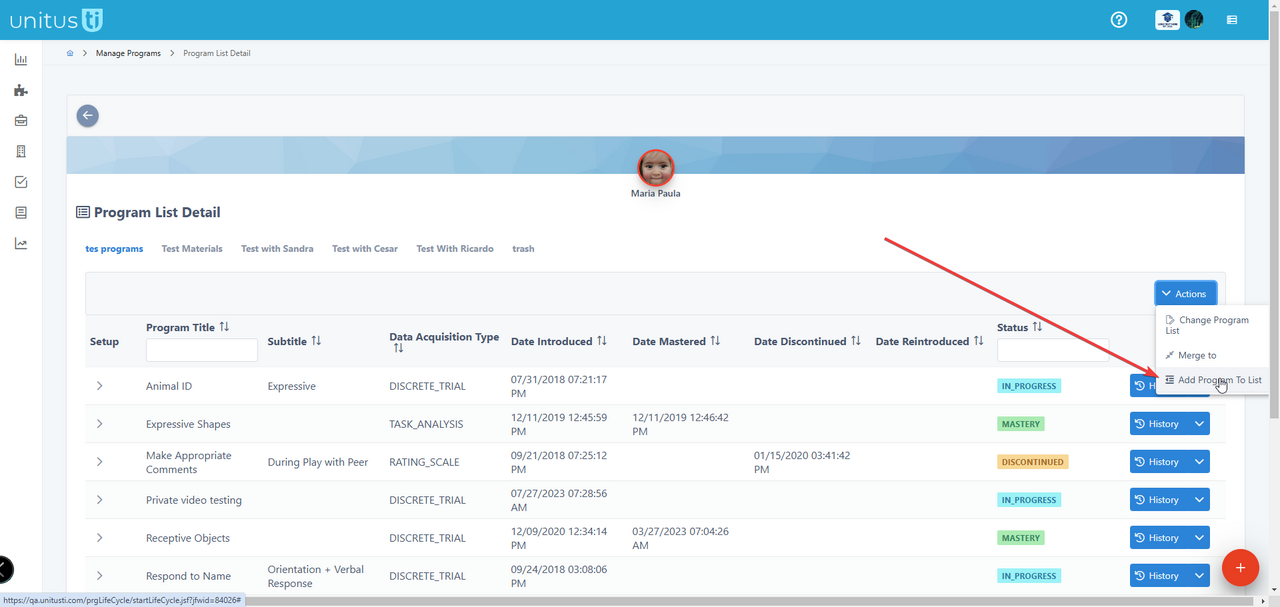
Location 1: When you add a program to a program list:
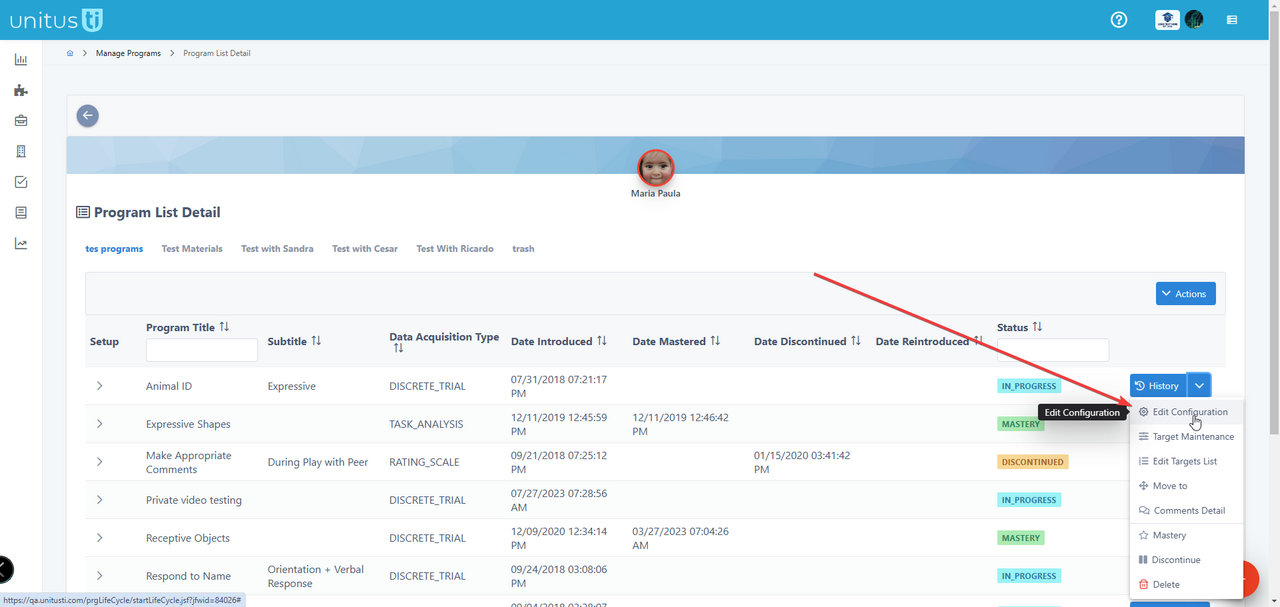
Location 2: from the edit configuration of a program with prompts enabled:
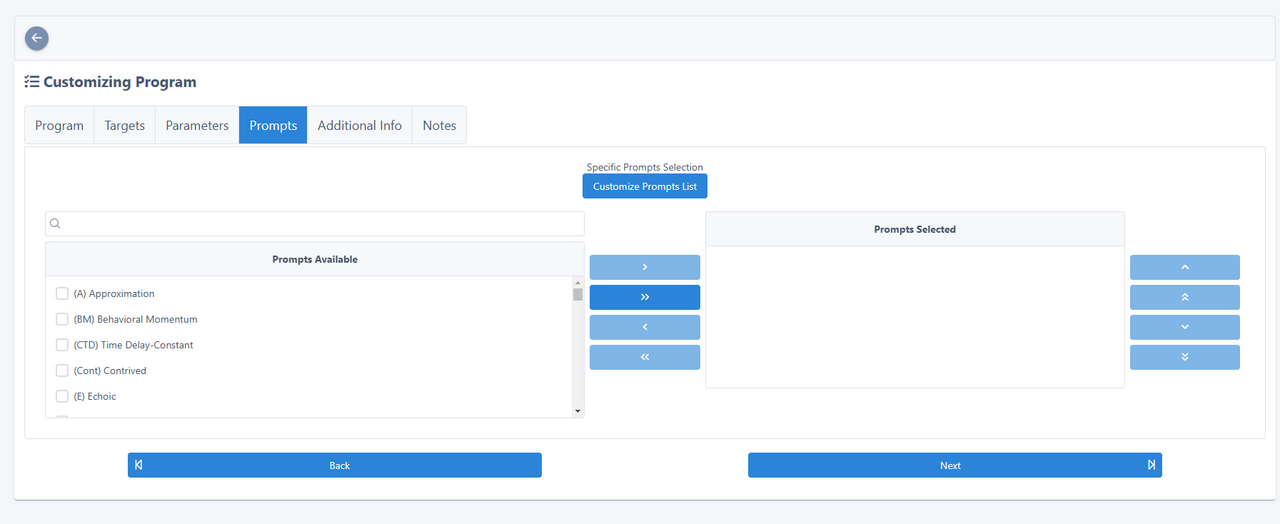
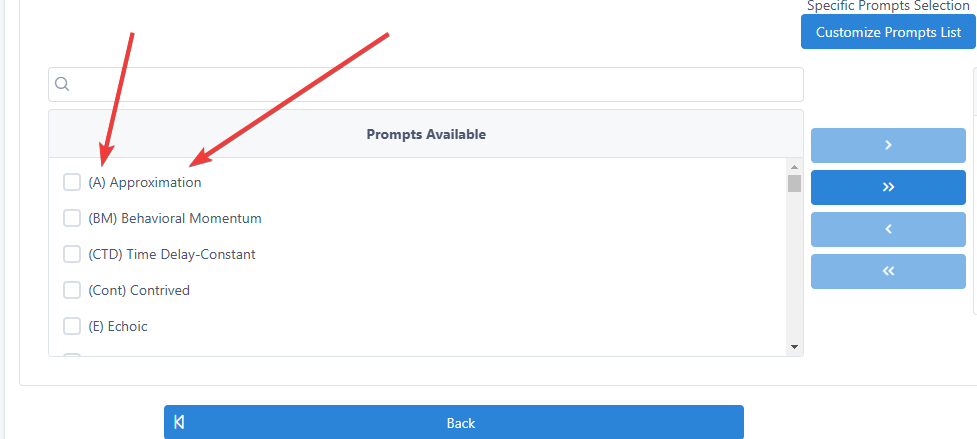
In both scenarios you will arrive to the Customizing Program screen, and in the tab “Prompts” you should click on the button “Customize Prompt List”:
Prompts in UnitusTI have both a short name and a long name. For default prompts, only the long name can be edited:
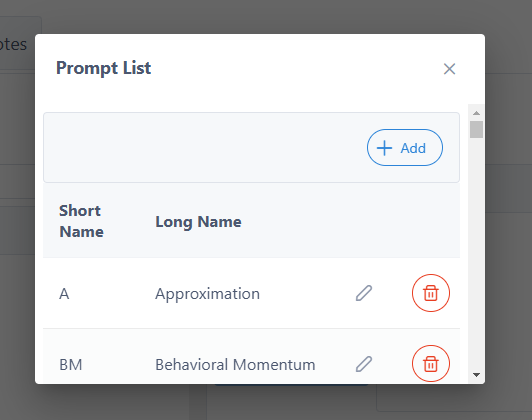
Default prompts can be removed from the list, and new ones can be added.
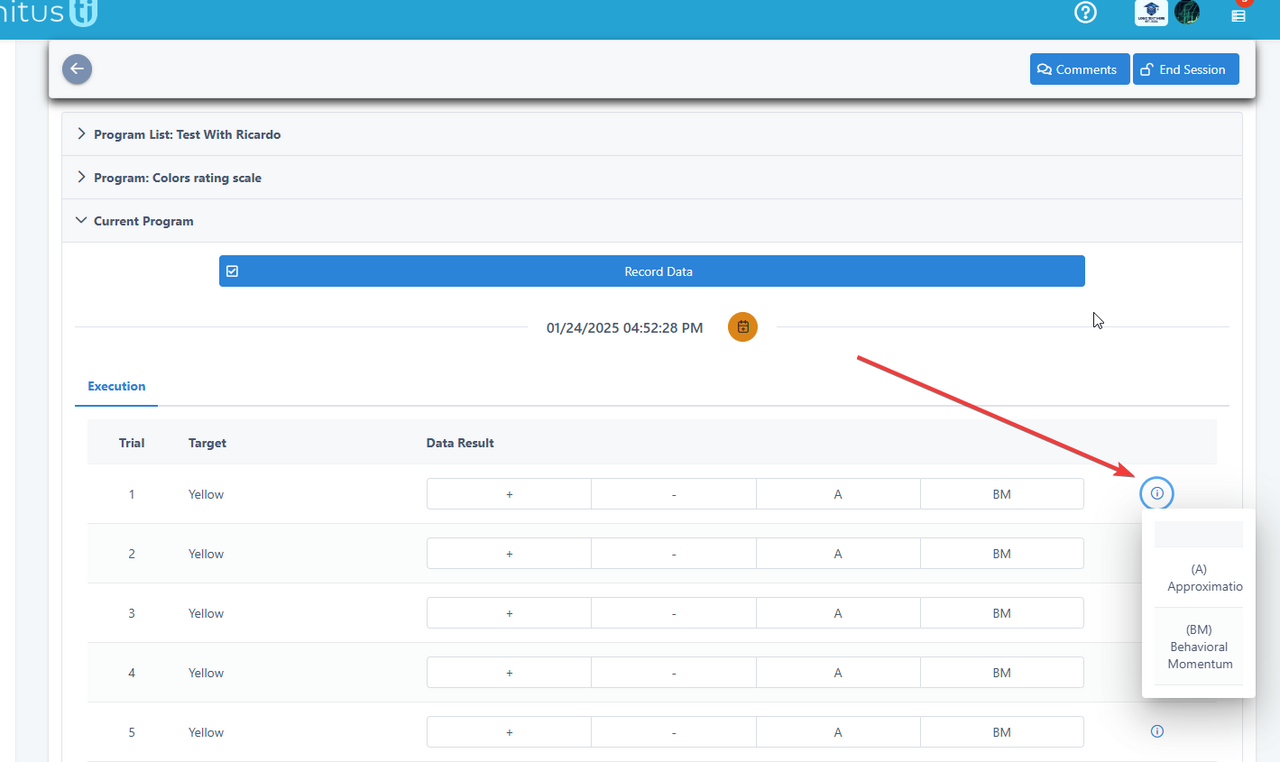
Additionally, an information icon is available during program execution, allowing users to view the long names of prompts without leaving the screen: