UnitusTI offers flexible program assignment options, allowing clients to be associated with multiple program groups. This configuration flexibility can be further enhanced by reusing existing program lists through cloning or merging, saving valuable time.
Cloning a program list
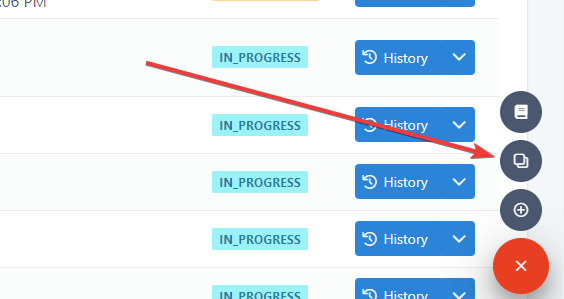
Step 1: Click on the clone button.
The "Manage Programs" option provides access to client-specific program configurations. Within this context, you can utilize the "clone" feature to duplicate an existing program list:
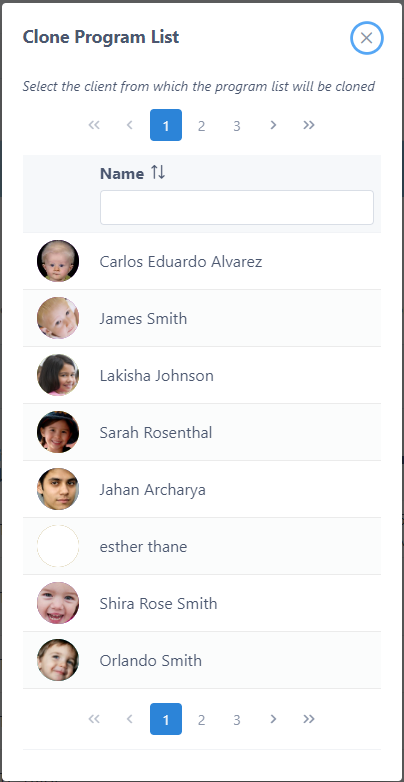
Step 2: Choose the client from which you want to clone program lists.
Upon selecting the "clone" button, UnitusTI will display a list of clients that the user is associated with as a team member. This list will include the currently selected client:
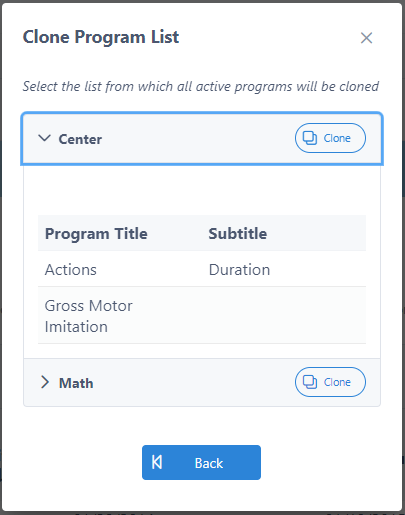
Step 3: Choose the program list you want to duplicate.
Choose the client from which you want to clone a program list. Once selected, UnitusTI will display all the program lists associated with that client.
Step 4: clone the program
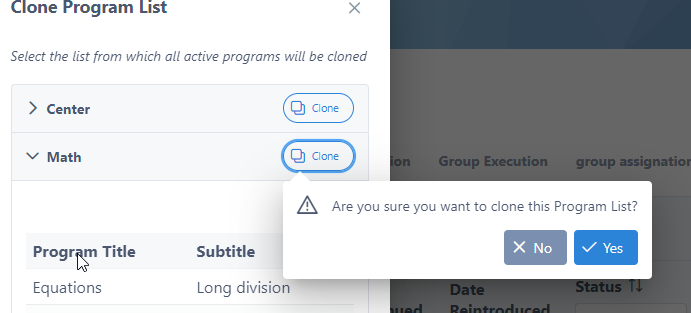
You can view the individual programs within each program list. Please note that the listed programs are exclusively those in an "active" state, which includes programs with a status of "ASSIGN" or "IN_PROGRESS."
Finally, select the “Clone” button:
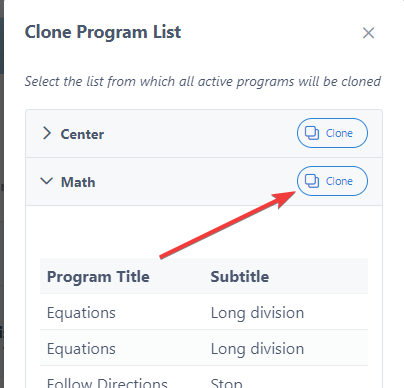
UnitusTI will prompt you to confirm the cloning procedure. Upon confirmation, UnitusTI will create a duplicate of the selected program list, including all programs and associated settings, for the target client:
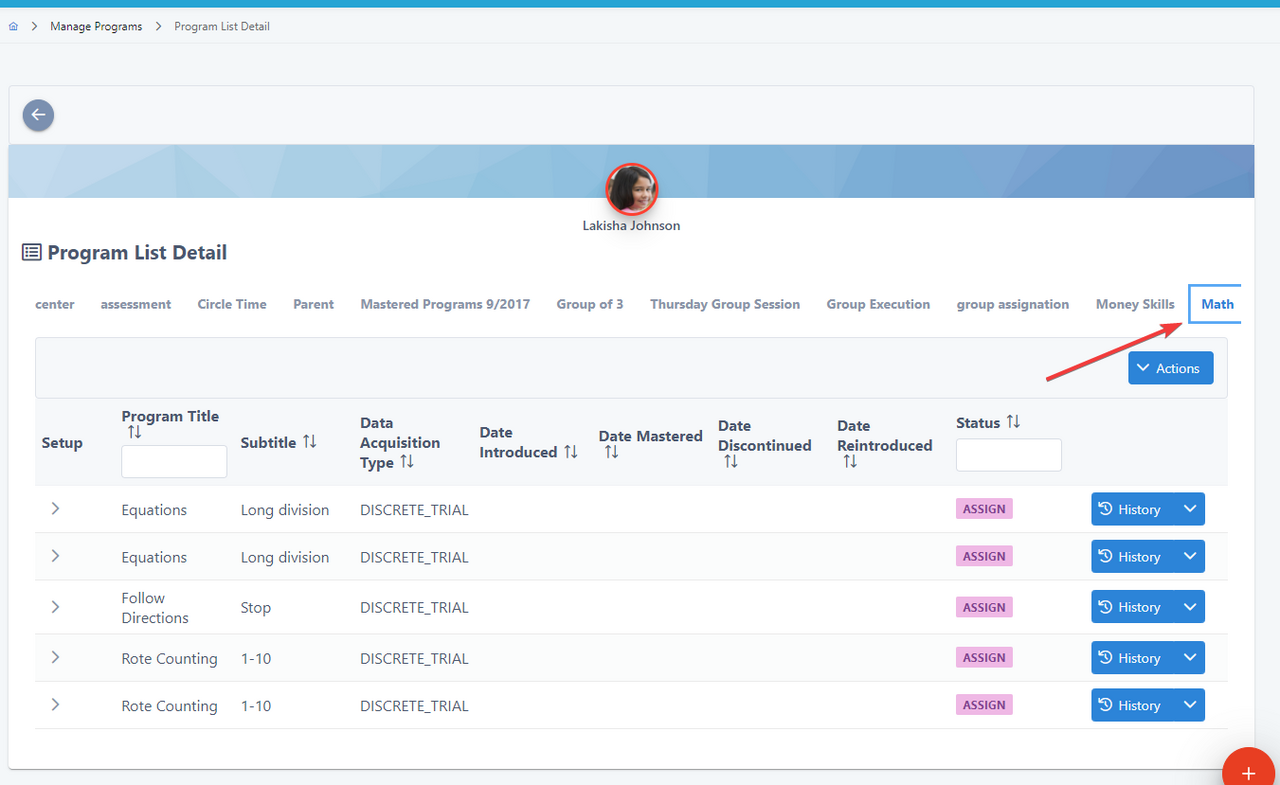
Merging a program list
This feature enables you to combine the contents of the selected program list with another program list belonging to the same client.
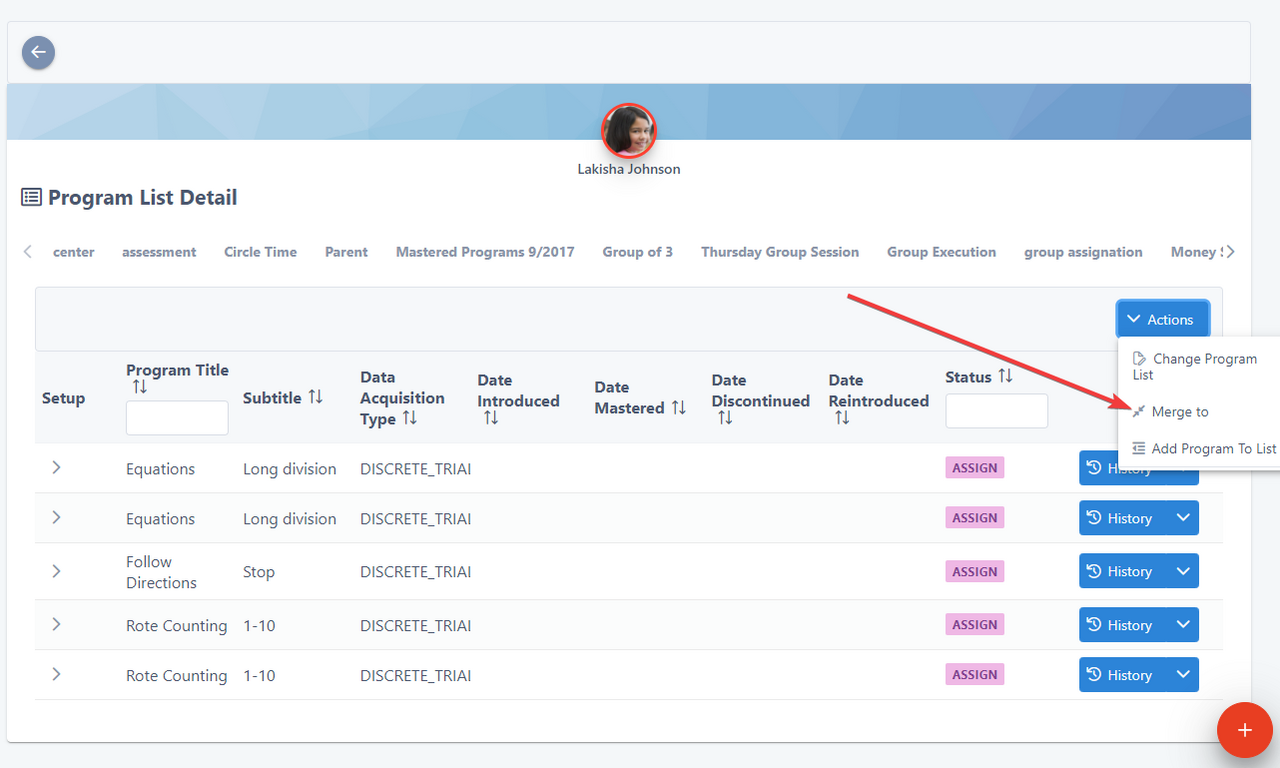
The “Merge” option can be found in the Actions menu as an action for each list:
Once selected, the system will display a list of all available program lists, indicating the target list where the selected list will be merged:
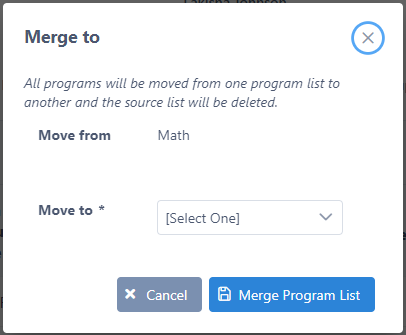
After the user chooses the target list where the source list will be merged, the system will transfer all the content from the source list to the target list. Subsequently, the original source list will be deleted from the client's configuration.