You can export a daily summary of your Session Notes using the Session Notes Dashboard.
Step 1: Filter clients and date
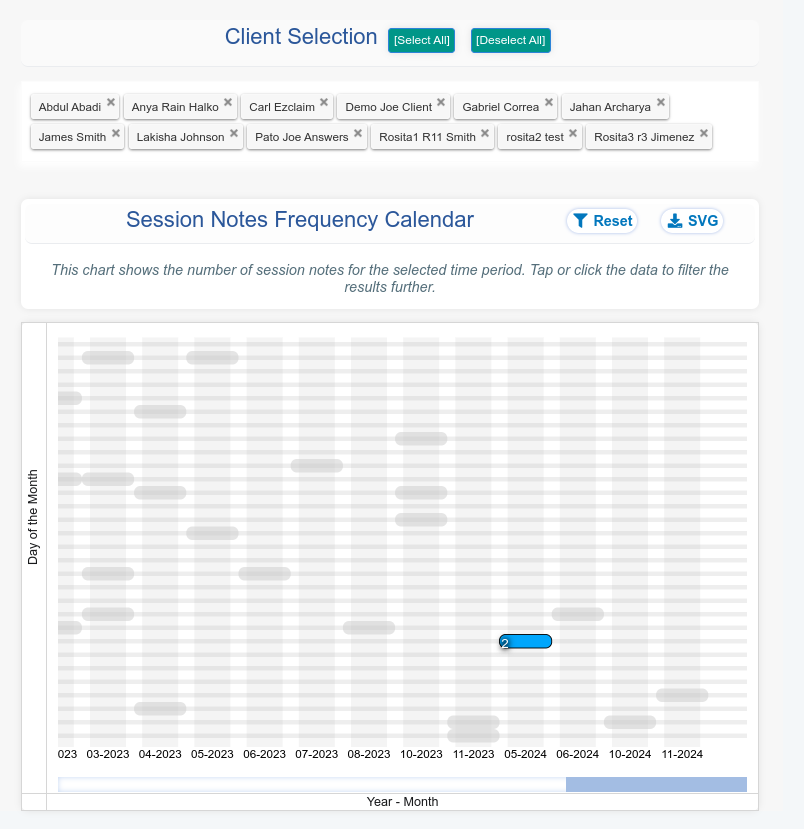
Select the desired clients to include in the report and ensure you select a single day on the Session Notes Dashboard calendar:
Step 2: Configure fields to show
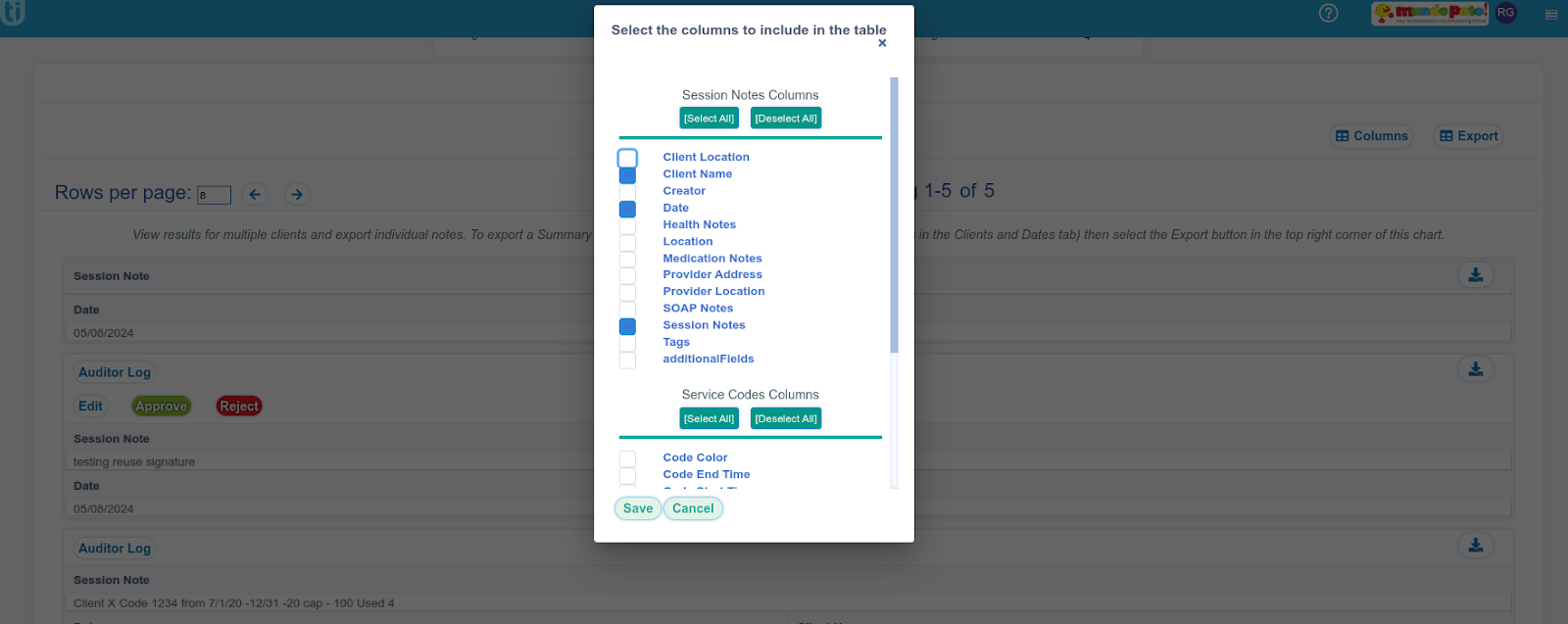
In the "Session Notes" tab on the Dashboard, click the "Columns" button and deselect any information you don't want to include in your report. For this example, we'll only keep "Client Name," "Date," and "Session Notes." Click "Save" to apply the changes..
Step 3: Export
Click the "Export" button and select the desired format, such as "Excel."

The exported Excel file will contain the selected information.
Please note that for session notes with multiple users (Joined Users), you may see additional rows in the exported file. Each comment from a Joined User will be represented as a separate row.
