Adding your baseline data to a program doesn’t require you to set up two separate programs; you may capture baseline data with a few simple steps in your regular program.
- Assign the program to your client in Manage Programs ( see assigning programs in Manage Programs ) using the following parameters:
- In the Targets tab add all the targets that you will need for the acquisition program and count the total number for the next step
- In the Parameters tab choose the same data collection type you will use during the acquisition phase (e.g Discrete Trial, Natural Environment, etc.)
- Set number of trials to equals the total number of targets you selected in the Targets tab (e.g. 50 targets = 50 trials)
- Set the mastery criteria wheel to 90%
- Select consecutive sessions as 2
- Set concurrent targets as the total number of targets you selected in the Targets tab
(e.g. 50 targets = 50 concurrent targets)
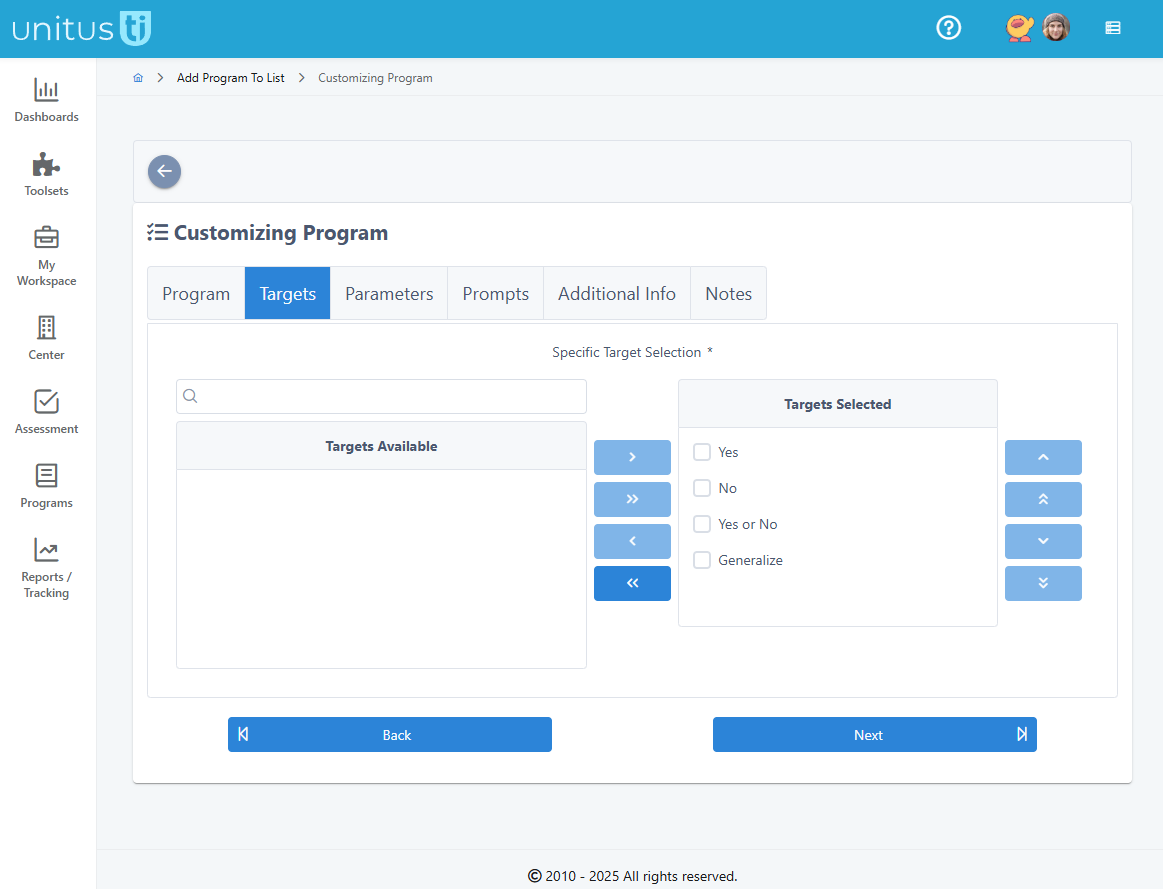
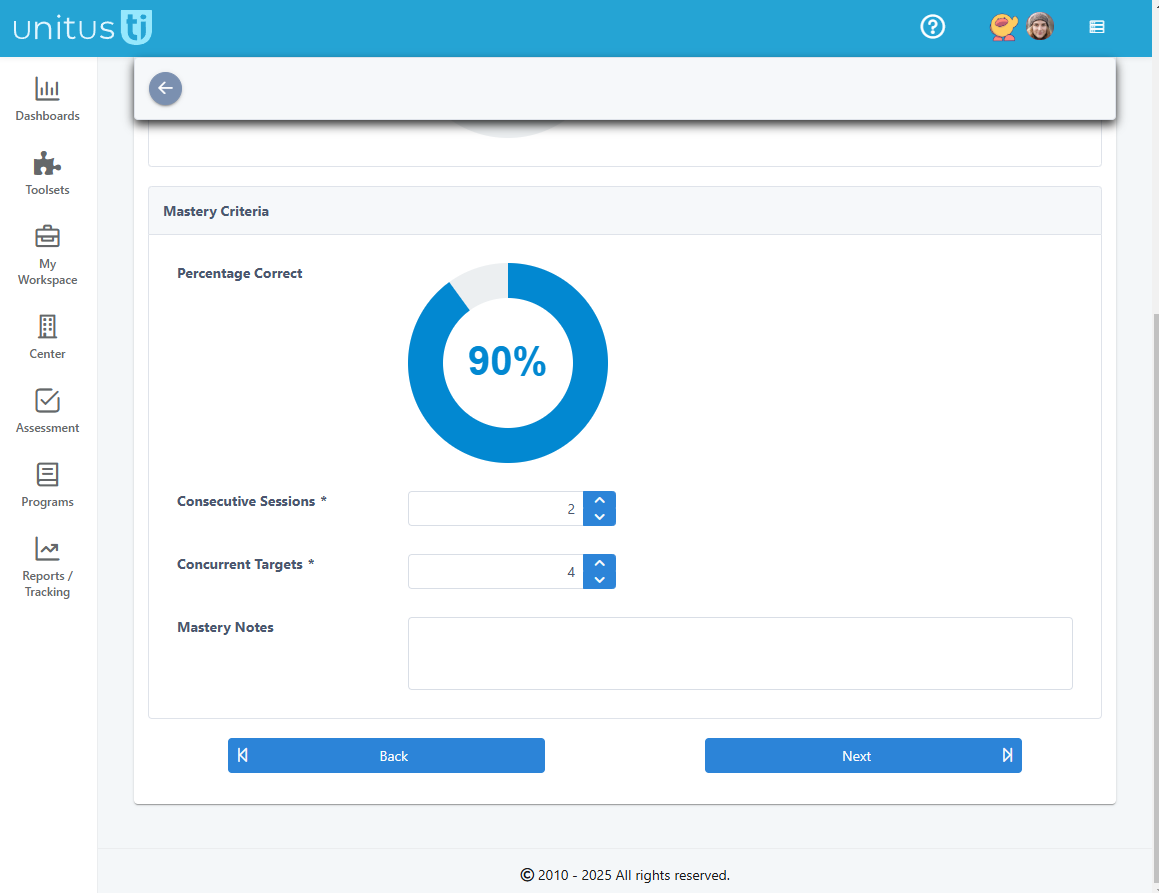
- Staff should run the program one time; this data will be your baseline and will show on graphs as the first data point.
- Once the baseline data has been captured, update the program configuration for acquisition status (changing the parameters will automatically add a phase change line to your graphs) :
- (Programs>Manage Programs> Select Client>Select arrow next to history button for the program>select Edit Configuration
- Update the targets list to show just those you wish to run at a time
- Update the number of trials to your desired number
- Set up target maintenance (optional) at this time to automatically trigger maintenance for mastered targets
Tips for Capturing Baseline with the Frequency Data Acquisition Type
- Select program on which to take baseline (e.g. reducing spitting, increasing eye contact, etc.) - must have target type “numeric”
- Add first target as “0”
- Select Frequency data and set type to ascending or descending depending on if you want to increase or decrease the behavior
- Timer is optional
- Set consecutive sessions to number of sessions across which you want to take baseline (e.g. 3 days)
- Once baseline data has been completed, edit targets as prescribed by the program (e.g. increasing or decreasing)
- Edit number of consecutive sessions, if necessary (e.g. 2 sessions)
Pro tip: Some users find it helpful to create a separate program list titled “Baseline” for the client, and once the baseline data is captured, move the program to a new list (e.g. titled “Acquisition”)